A block-level element participates in block layout: it starts on a new line and ordinarily occupies the full available width of its containing block. Elements such as <div>, <p>, and <ul> behave this way unless a width changes the result. section 4.1.5
The CSS display property can change an element’s flow behavior. Applying display: block to an inline element makes it start on its own line and expand across the available width. section 4.1.5
Making a publication date span the page
A <time> element is inline by default, so it occupies only the space needed by its text. Setting time { display: block; text-align: center; border-top: 3px solid #333333; border-bottom: 3px solid #333333; padding: 12px 0; } makes the date span the page, centers its text, and creates a visual divide above the article. section 4.1.5
An empty div filling a card
An empty div used for a credit-card magnetic strip still automatically takes the available width because div is block-level. A height, background color, and padding on the card can then create and position the strip. section 9.2.3
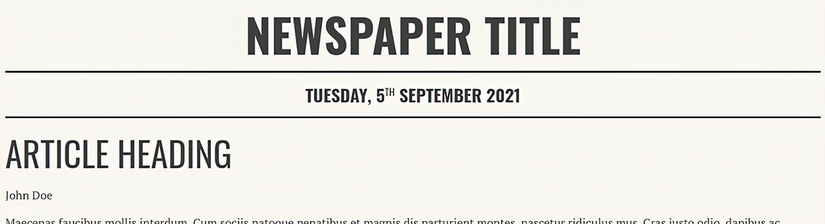
Compare the <time> element after it changes from inline behavior to block behavior. section 4.1.5

