FOIT, or Flash of Invisible Text, occurs when the browser hides text until the intended web font loads. Layout, backgrounds, and borders appear, but text remains invisible during the initial render. section 12.5
FOIT preserves space and prevents the layout shift associated with immediately showing a fallback font, but it can leave users with a useless shell if the web font loads slowly or fails. section 12.5
Use font-display to choose how the browser balances invisible text, fallback text, and font fidelity:
- `block` produces a short FOIT, then falls back to unstyled text if necessary. section 12.5.1
- `swap` shows the fallback font immediately and replaces it when the web font becomes available, producing FOUT. section 12.5.1
- `fallback` briefly hides text, then uses the fallback font and later replaces it when possible. section 12.5.1
- `optional` may keep the fallback font when loading takes too long, making it suitable when the web font is less important. section 12.5.1
Testing font-loading behavior
Throttle the network in Chrome or Firefox DevTools, select Regular 3G, and disable the cache. Reloading then exposes the delay and makes FOIT or FOUT behavior easier to evaluate. section 12.5
Figure 12.15 FOIT—Flash of Invisible Text
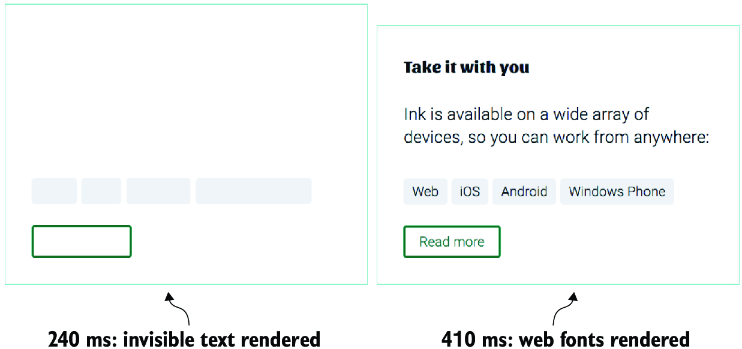
Compare the visible page shell with invisible text during FOIT. section 12.5
