A web browser requests, interprets, and displays web documents and other web resources. It turns HTML tags and CSS properties into the readable pages you see, rather than showing the underlying code. section 1.1 section 1.4
A browser’s trip from an address to a visible page looks like this:
- A visitor enters a page address in the browser. section 1.4
- The browser requests the page from the web server. section 1.4
- The server sends the HTML and CSS to the browser. section 1.4
- The browser interprets the tags and CSS properties, then renders the result on the user’s device. section 1.4
Plain text versus HTML
A browser can display a plain-text file, but the result may be difficult to read. Add HTML tags for headings, paragraphs, lists, links, and images, and the browser renders that same text into something easier to read, navigate, and understand. section 1.1 section 2.2
Figure 1.4 To go from HTML and CSS to a web page, you send your code to a web server, and visitors use their web browsers to retrieve and render your code into a page.
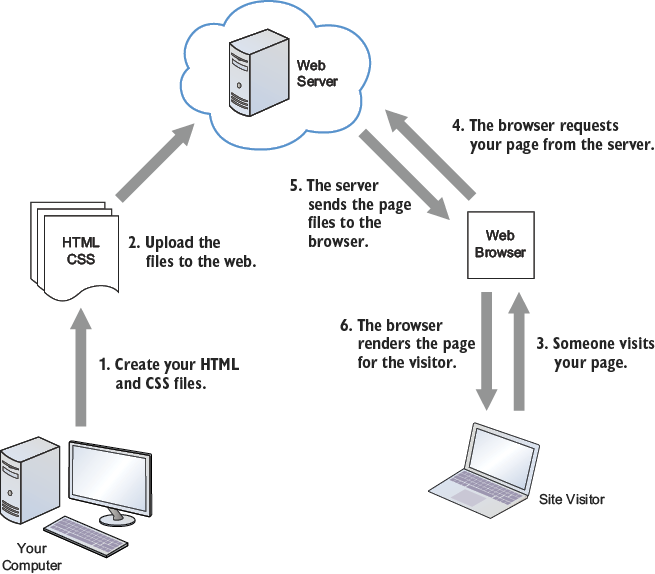
Trace the complete path from HTML and CSS files through a web server to the browser-rendered page. section 1.4


