A canvas context is the drawing-state object used to render graphics onto a canvas bitmap. Initialize it from the canvas node with getContext("2d"), then use its properties and methods to draw. section 15.2.1
A practical Canvas setup usually follows these steps:
- Create or select a canvas element and set its width and height attributes from the available container size. section 15.2.1
- Multiply the drawing dimensions by window.devicePixelRatio, cap the CSS width, and update the canvas when the window resizes. section 15.2.1
- Initialize the 2D context and apply the same scale transformation so Canvas units match the corrected resolution. section 15.2.1
- Set drawing properties such as fillStyle and strokeStyle, then call path and shape methods on the context. section 15.3
Rendering circles over an SVG visualization
A mixed-mode visualization can use SVG for axes, drawings, and letters while placing a Canvas element above it for many painting circles. In Svelte, bind the canvas node, initialize its 2D context inside onMount(), scale for devicePixelRatio, and draw each node with fillStyle, strokeStyle, beginPath(), and arc(). section 15.3
Figure 15.1 With basic commands, we can draw lines, rectangles, circles, and SVG-path-inspired shapes with Canvas.
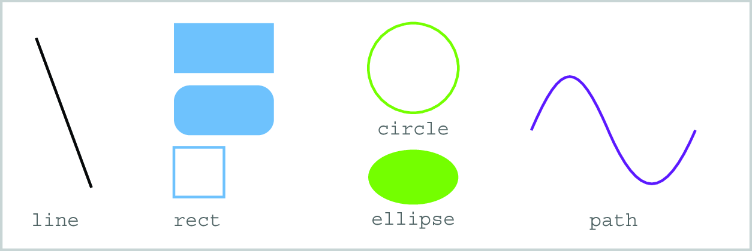
Compare the visible results produced by basic Canvas commands: lines, rectangles, circles, ellipses, and SVG-path-inspired shapes. section 15.2
