A clickable target is an interactive screen area designed to receive a person’s touch for a control or action. On mobile screens, targets should be large enough to tap comfortably and separated from neighboring controls. section 6.5.1
Design clickable targets around users’ reach and accuracy:
- Make buttons and other interactive elements larger on touch screens. section 6.5.1
- Leave enough space between adjacent or stacked controls to prevent accidental taps. section 6.5.1
- Place frequent actions where users can reach them naturally, especially during one-handed phone use. section 6.5.1
A reachable mobile action
A mobile site might place a frequently used navigation control or Back to Top button in the thumb’s natural zone instead of requiring a stretch to the top of the screen. The best placement depends on the site’s goals and users’ tasks. section 6.5.1
Figure 6.27 Thumb zones for people holding a phone in their right hand. Consider how your users interact with your design and keep things in the Natural zone as much as possible.
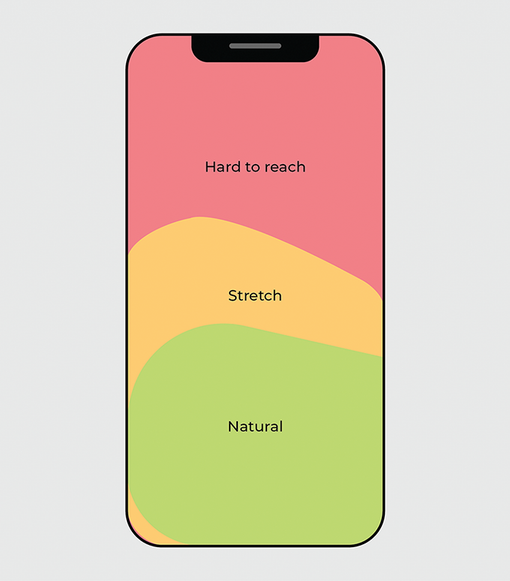
Use the thumb-zone figure to compare natural and harder-to-reach areas when positioning mobile controls. section 6.5.1
