Client load balancing is a WLAN feature that encourages a client to associate with a less-busy LWAP when another suitable LWAP is in range. section 21.3.3
Key operational points:
- The WLC detects that the requested LWAP is busy and responds in a way that encourages the client to seek a less-loaded alternative. section 21.3.3
- Enable the feature from the WLAN Advanced tab. section 21.3.3
- Do not confuse it with Client Band Select, which encourages dual-band clients to use 5 GHz instead of 2.4 GHz. section 21.3.3 section 21.4
Figure 21.20 The Advanced tab allows you to enable features like Client Load Balancing and Client Band Select.
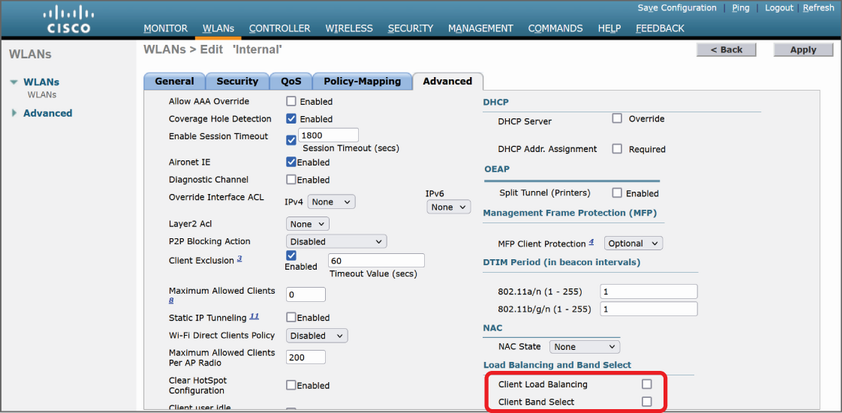
Use the Advanced-tab figure to locate the Client Load Balancing setting alongside related WLAN options. section 21.3.3
