A code suggestion is a proposed completion or generation that Copilot displays for possible acceptance. It behaves like sophisticated autocomplete: comments can describe a task, and Copilot may respond with code or more comments. section 2.6.1
Work with a suggestion in the editor:
- Write a comment describing the desired code, then press Enter and pause. section 2.6.1
- Look for light-gray italic text, pressing Enter again if necessary. section 2.6.1
- Press Tab to accept the proposed code; accepted text changes to the standard font. section 2.6.1
- Use Ctrl-Enter to open the GitHub Copilot Suggestions window when an inline suggestion does not appear. section 2.6.1
Prompting a simple output
Typing the comment `# output "Hello Copilot" to the screen` can produce `print("Hello Copilot")`. The exact suggestion may differ because Copilot is nondeterministic. section 2.6.1
Figure 2.4 VS Code interface with Copilot running
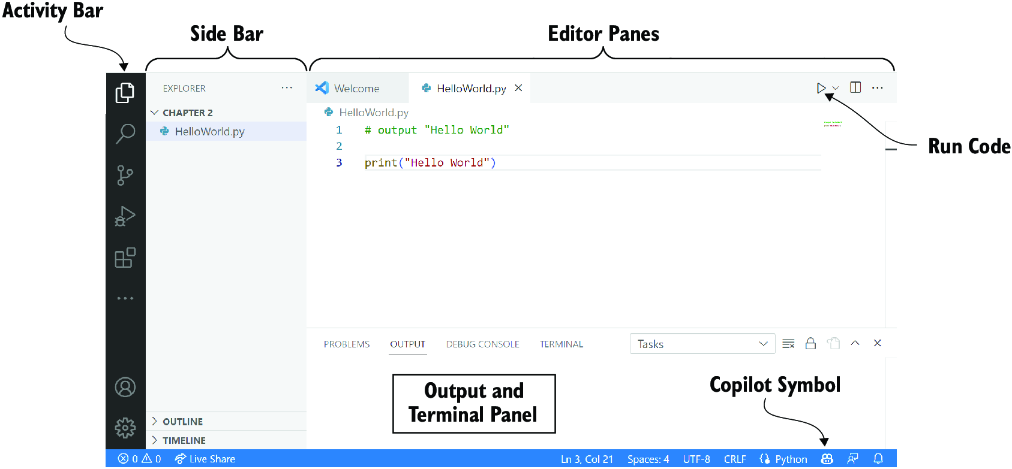
Use the editor view to identify the prompt, gray unaccepted suggestion, and accepted code. section 2.6.1

