liveBook · Manning

Coming soon plugin

As explained in WordPress Power Toolkit: Harness AI to build next-level websites

A coming soon plugin is a WordPress extension that replaces a site's visitor-facing content with an under-construction or launch message while authorized users can view the site.

A coming soon plugin keeps visitors from seeing unfinished pages while you prepare a WordPress site for launch. Authorized administrators can still view the real frontend through a browser cookie. section 2.4

Set up the launch screen in a few practical steps:

  • Open Settings > Reading, select Discourage Search Engines from Indexing This Site, and save the change. section 2.4
  • Choose Plugins > Add New, search for seedprod, then install and activate Website Builder by SeedProd. section 2.4
  • Open SeedProd > Landing Pages and select Edit Page to customize the under-construction message. section 2.4
Figure 2.1 In your Settings > Reading screen, discourage search engines from judging your site-in-progress.
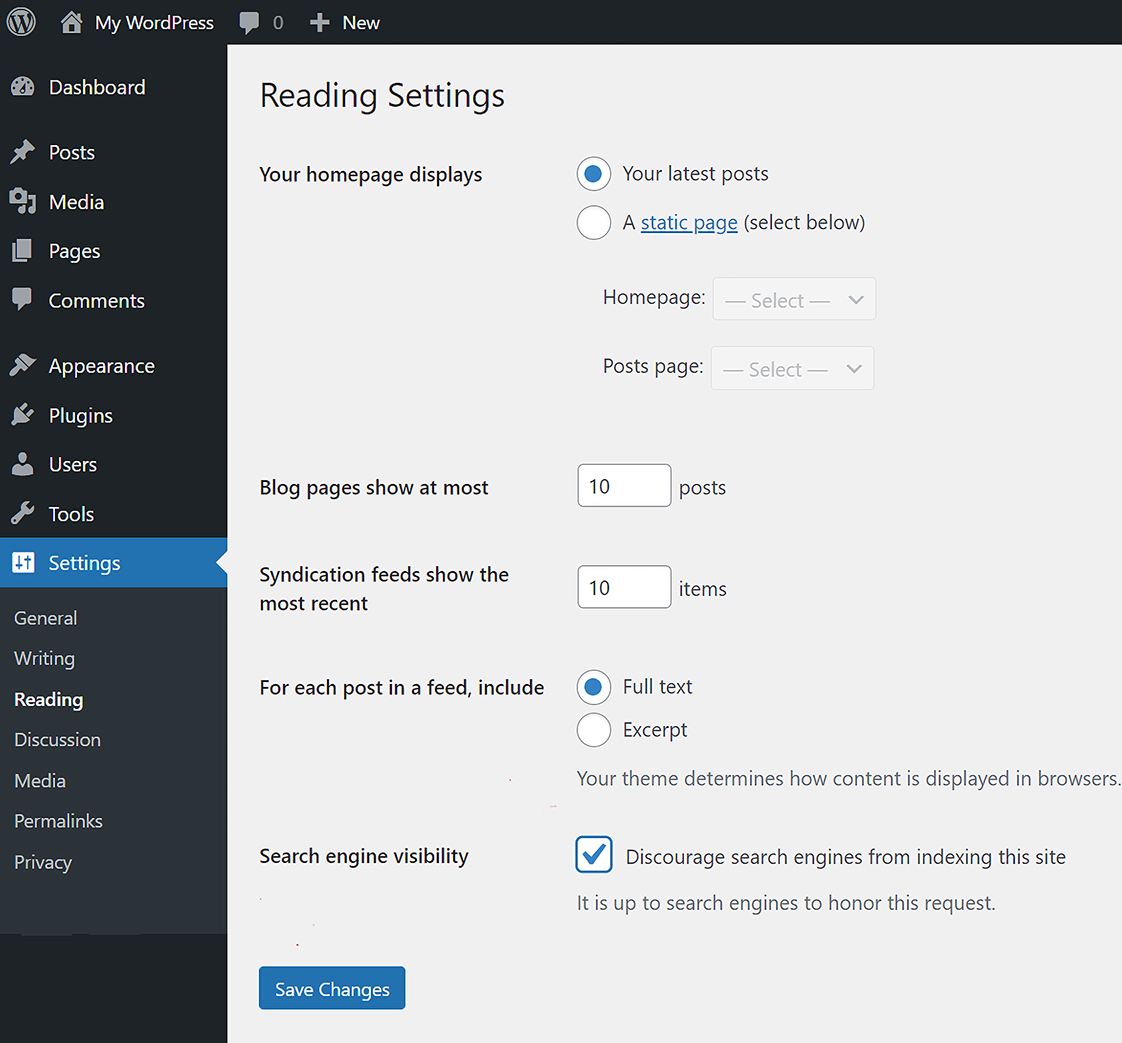
Use the settings view to confirm that search engines are discouraged while the site remains unfinished. section 2.4

Figure 2.2 Click Landing Pages under SeedProd, and then click the Edit Page button to customize your coming soon page.
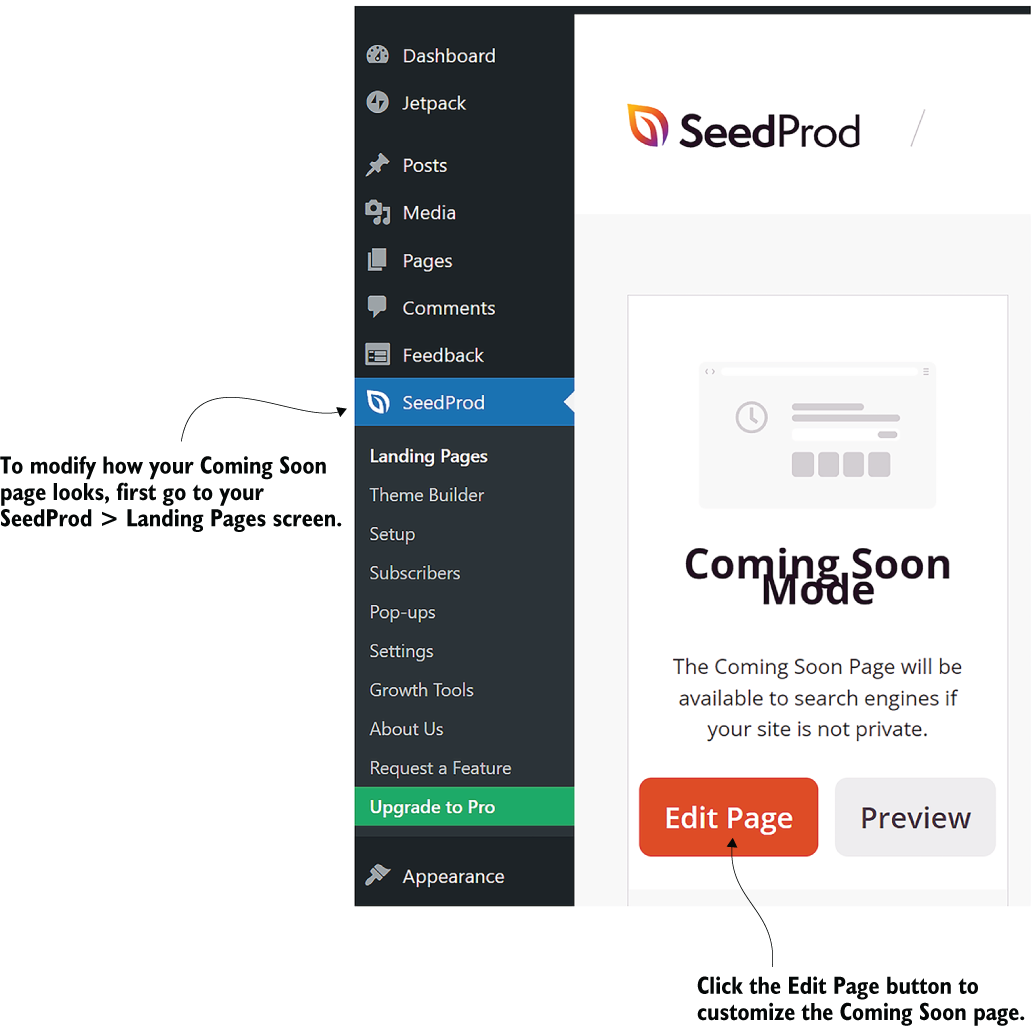
Use the SeedProd landing-page view to locate the editing control for the coming soon screen. section 2.4

How WordPress Power Toolkit: Harness AI to build next-level websites covers it

How deep it goes
Explains search visibility settings, plugin installation, activation, administrator access, and basic landing-page customization.
Examples
Uses SeedProd Website Builder, the Settings > Reading screen, and SeedProd landing-page editing as concrete setup examples.
What it assumes
Assumes access to a WordPress backend and teaches the relevant dashboard paths and controls explicitly.
What you can do after
Operate/configure a coming soon screen, discourage search indexing, and retain administrator access to the real pages.
How it connects
Connects WordPress plugins with search engine visibility, browser cookies, landing pages, themes, and the Gutenberg-style block editor.

Related concepts

This explainer was generated by Manning's knowledge graph from the text of WordPress Power Toolkit: Harness AI to build next-level websites. The section links point to the parts of the book it draws on.