A container registry stores and shares container images. After building an image, you can push it to a registry and pull it onto another Docker-enabled computer. Public registries allow broad access; private registries require authentication. section 2.1.2
A registry connects the container image lifecycle:
- Package the application and its dependencies into a container image. section 2.1.2
- Push the image to a registry for storage and sharing. section 2.1.2
- Pull the image onto another computer and use it to create a running container. section 2.1.2 section 2.4
Moving an application to another computer
A developer builds an image containing an application and its required environment, pushes it to a registry, then pulls it onto another Docker-enabled computer. The downloaded image provides the filesystem and metadata needed to run the application as a container. section 2.1.2
Figure 2.4 The three main Docker concepts are images, registries, and containers.
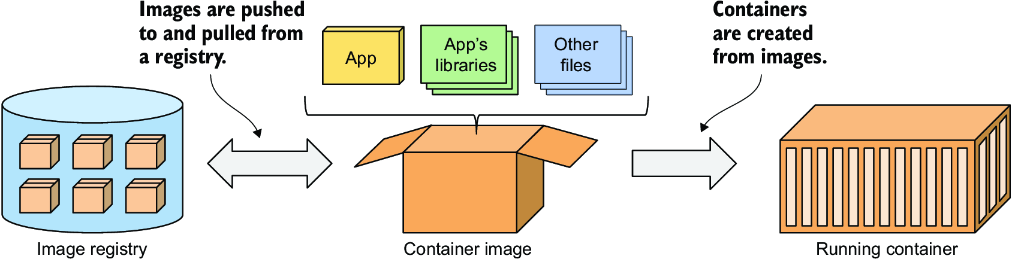
Use the diagram to distinguish the three related roles: images package applications, registries distribute images, and containers run them. section 2.1.2







