A continuous query in ksqlDB is a push query: it keeps evaluating incoming records and streams changing results to the client that issued it. Because an event stream does not stop, the query runs until it is explicitly terminated or the client connection ends. Its results are returned directly rather than stored in a Kafka topic. section 11.1 section 11.7
Use a push query when a client needs ongoing asynchronous updates, optionally narrowed to selected columns or filtered rows. This differs from a persistent query, which runs on the server and writes reusable results to a Kafka topic, and a pull query, which returns a point-in-time result once and then ends. section 11.3 section 11.7
A push query has these working properties:
- Runs continually against new records from a stream or table until termination. section 11.3
- Sends results only to the originating client; it does not persist them in a topic for other consumers. section 11.3
- Uses SELECT … FROM … EMIT CHANGES syntax and can add WHERE filtering or LIMIT. section 11.3
- Can query base streams or tables as well as results produced by persistent queries. section 11.4
Stream activity-leader updates
Select last name, activity, and total steps from an activity_leaders table with EMIT CHANGES to receive each update as it arrives. Add WHERE total_steps > 1000 to stream only qualifying updates, or LIMIT 10 to stop after ten returned rows. section 11.3
Figure 11.2 Push queries don’t store results but return them to the client that submitted the query.
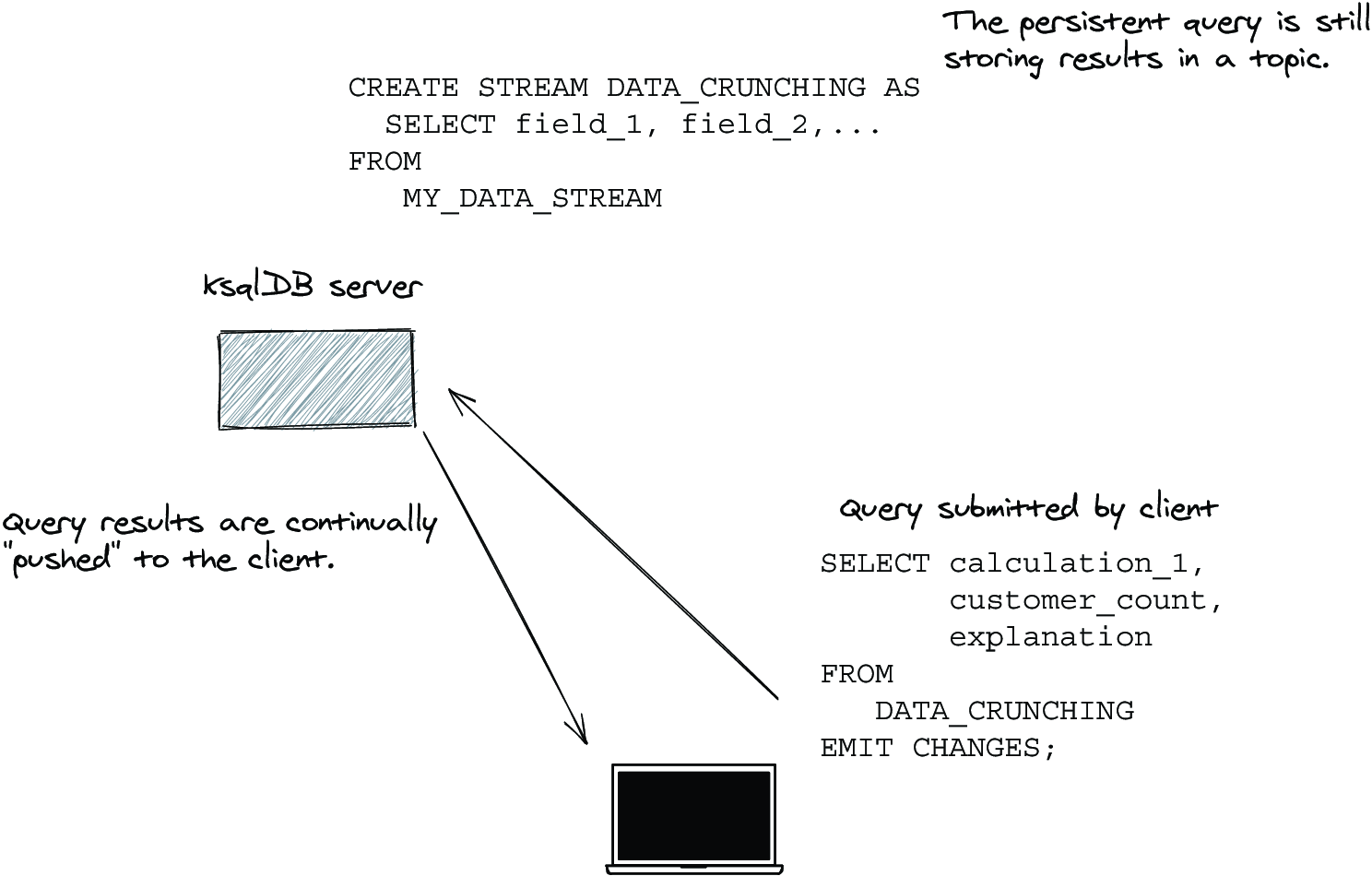
Use this diagram to distinguish direct client delivery from persistent-query results written to a Kafka topic. section 11.3

