To put ink in the right place, a page needs more than a description of what to draw. It needs a way to say where. A coordinate is a pair of numbers that locates a position relative to a chosen starting point. On a flat rectangular page, the usual choice is Cartesian coordinates: x says how far across, and y says how far up. section 1.0 section 1.1
Finding a place on a page
Choose the bottom-left corner as the origin, (0, 0). The coordinate (6, 2) means six lengths to the right and two lengths up from that corner. A heading near (80, 630) is therefore placed 80 units across and 630 units upward. The origin is a convention, not a law: a system could instead begin at the top-left and measure downward. section 1.1
Coordinates need units when actual size matters. Publishing commonly uses points (pt), each 1/72 of an inch, so small page measurements can usually be written as convenient whole numbers. An A4 page is roughly 595pt wide and 842pt tall. section 1.1
Figure 1.1 Placing a point using Cartesian coordinates
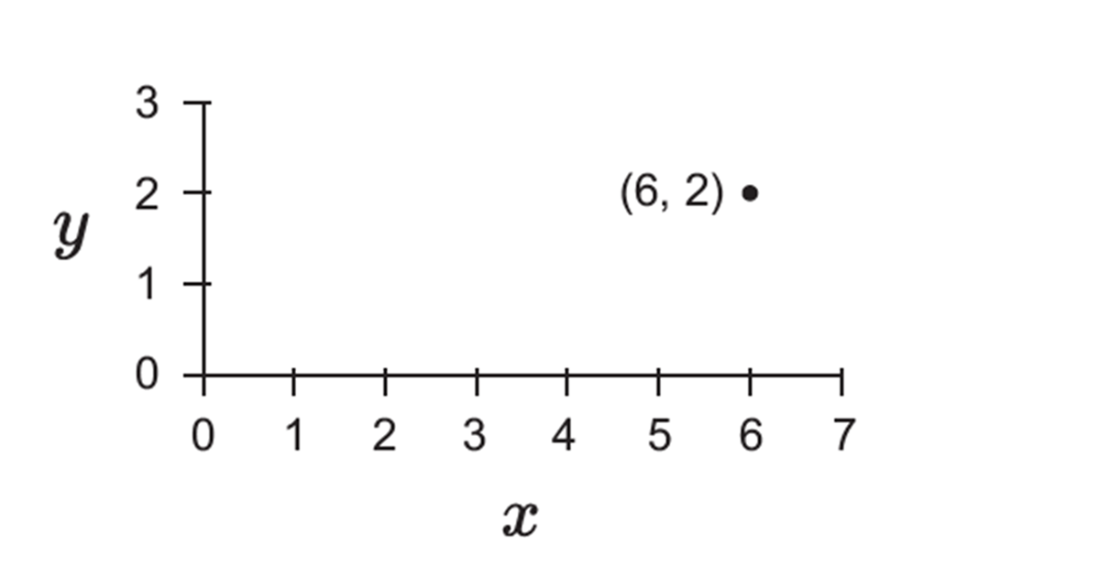
Use the axes and tick marks to trace how the two numbers in a coordinate locate one point. section 1.1
A coordinate also makes a drawing describable. A line segment can be specified by the coordinates of its two endpoints, such as (1, 1)—(6, 3). To show that line on paper or a screen, select dots near the ideal line. For a shallow line, choosing one dot in each column works better than choosing one in each row; for a steep line, reverse the choice. More, smaller dots make the approximation smoother. section 1.3
Drawing a house from points
A shape can be represented as a sequence of coordinates joined by lines. Separate sequences describe the outline and windows of a house. This is a vector graphic: a list of coordinates. Turning that list into colored dots on a screen or page produces a raster graphic. section 1.4
Figure 1.14 A simple outline picture, built from lines
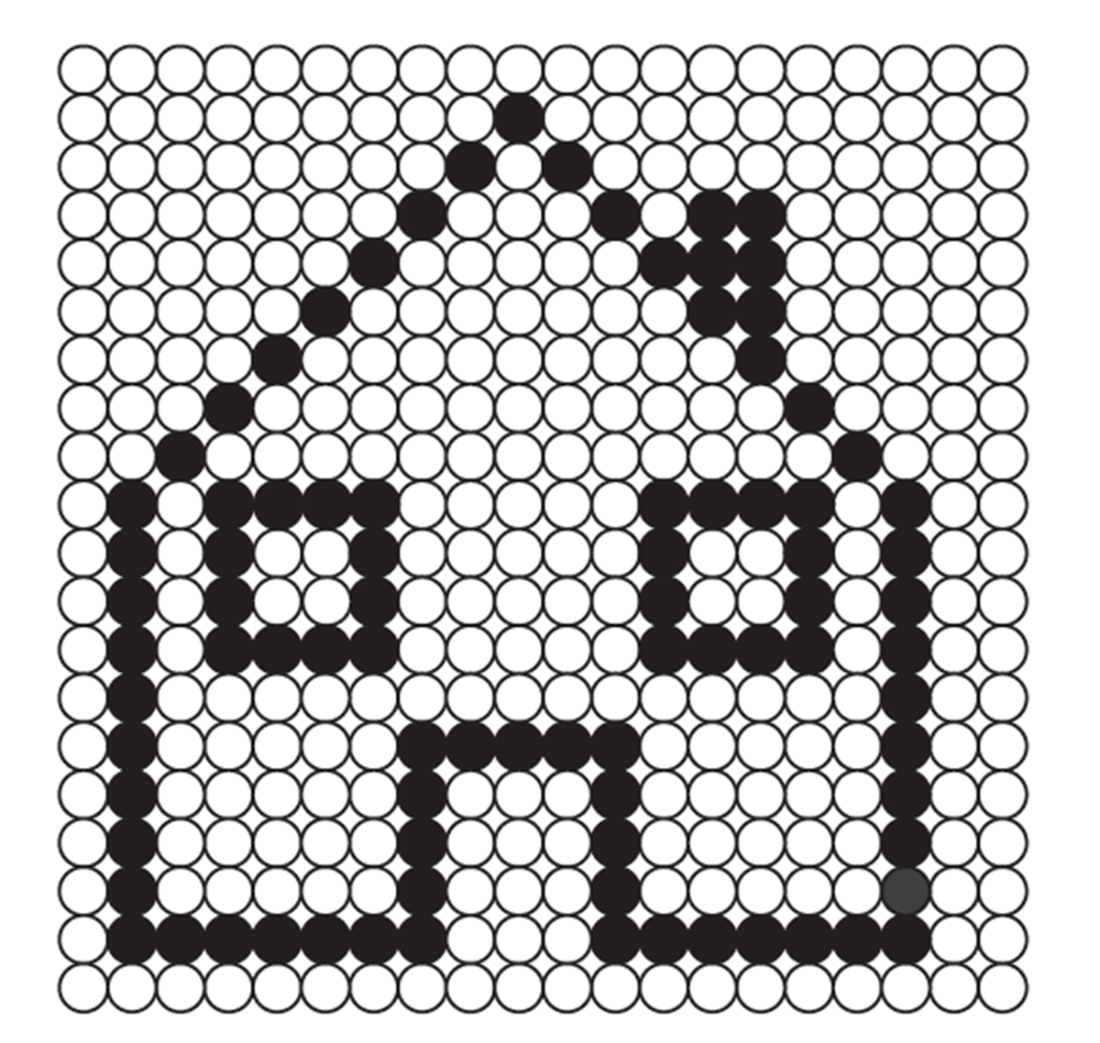
Follow the joined coordinate paths to see how several line sequences form one recognizable outline picture. section 1.4
Try coordinates as instructions rather than labels:
- Plot a sequence of points on a 20 × 20 grid and join successive points to discover the image it encodes. section 1.5
- Choose pixels on a grid that best approximate a given line or character while keeping characters in proportion. section 1.5




