liveBook · Manning

Copy/paste

As explained in Architecting Accessibility

An interaction technique for transferring selected text or data from one location to another without re-entering it.

Keep pasting enabled in password and verification-code fields so people can transfer values from password managers or email without retyping. Blocking paste adds friction for legitimate users and is rarely meaningful security practice. section 7.3.1

Figure 7.2 This image shows a situation where a code presented to the user as one value is requested back as six different digits over six input fields, changing its original format. This is an accessibility barrier unless the entire code can still be pasted into the first field and the remaining fields populated correctly.
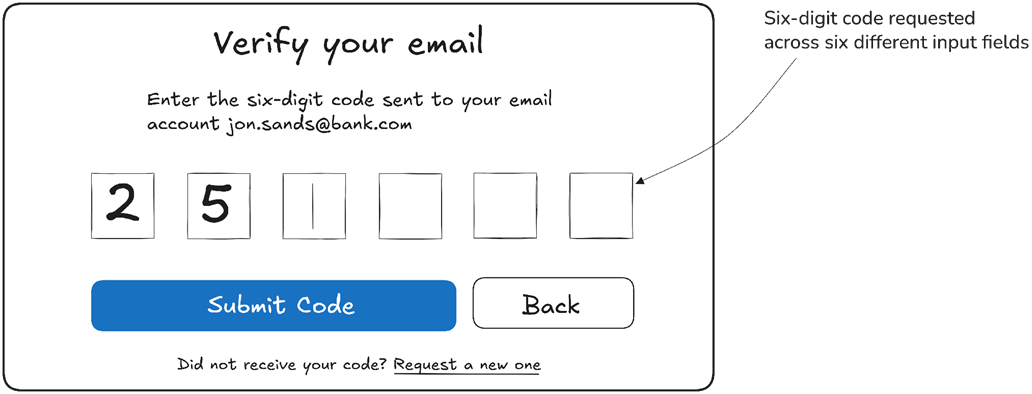
When a one-time code is split across fields, allow the full code to be pasted into the first field and populate the remaining fields correctly. section 7.3.1

How Architecting Accessibility covers it

How deep it goes
Recommends keeping paste enabled and handling split code fields, without detailing an implementation.
Examples
Uses passwords and six-digit verification codes split across separate input fields.
What you can do after
Apply the guidance by allowing pasted values in password and verification fields, including split code inputs.
How it connects
Connects password fields and one-time verification codes with password managers and email clients.

Related concepts

This explainer was generated by Manning's knowledge graph from the text of Architecting Accessibility. The section links point to the parts of the book it draws on.