Imagine updating every enemy in a survival game. Each movement update needs a position, direction, and velocity—not the enemy’s hit points, armor, or dodge value. Data locality means arranging data used together close enough in memory that fetching it also brings in data the update needs. section 1.2.4 section 1.2.5
The CPU retrieves nearby memory in aligned blocks called cache lines. If movement inputs occupy the same line, one fetch can supply them all; reversing the order of three small fields may make no difference. Proximity is not a guarantee, though: even a compact group can cross a cache-line boundary. As an Enemy object grows, each fetched line may also contain fields that movement never uses. section 1.2.4 section 1.2.5
Move enemies with parallel arrays
Keep Position, Direction, and Velocity in separate arrays, with index i referring to the same enemy in each. Then update them in one loop: Position[i] += Direction[i] * Velocity[i]. Each array holds its elements contiguously, so successive iterations read nearby values rather than navigating a collection of large enemy objects. A tracking update can use Position and Direction without also reading Velocity. This layout organizes data around each operation, not around a single all-purpose object. section 1.2.5
Figure 1.15 Arrays automatically place their data in contiguous memory. All the position array data will be in a single contiguous chunk of memory, as will direction and velocity’s data.
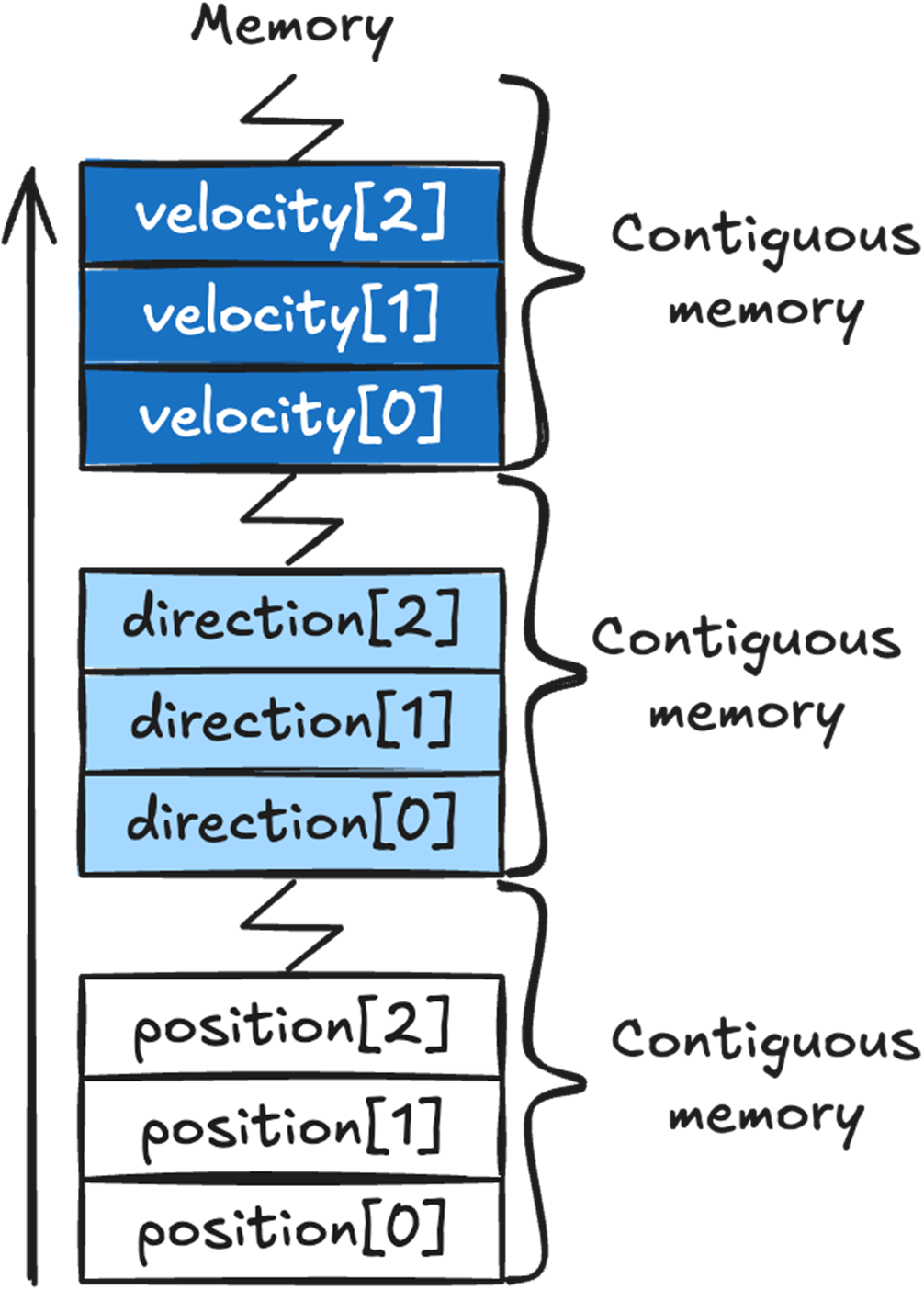
The array layout shows the distinction: positions are contiguous with other positions, while directions and velocities each occupy their own contiguous region. section 1.2.5
Choose a layout for the workload rather than assuming one representation is always fastest:
- An array of structs keeps each struct’s data together; an array of classes holds references to objects that may be spread across the heap. Small structs suit fields always used together, while classes suit variable-length data or fields not always used together. section 2.8
- A C# List stores its elements in an array, whereas linked-list nodes may be scattered across heap memory. A List’s other behavior still needs consideration before using it in a performance-sensitive system. section 6.1.1
- Start with an access-friendly layout and profile on target hardware. Burst, Jobs, and ECS can be added for specific needs; data locality does not require them, and they bring their own constraints or overhead. section 1.2 section 1.5