A design system coordinates reusable styling for a consistent application look, commonly covering UI elements such as buttons, sliders, and content containers. Its global rules can conflict with encapsulated Web Component styles when Shadow DOM boundaries are absent or deliberately crossed. section 10.3 section 9.1
Design systems create a tension between application-wide consistency and component-level isolation:
- Monolithic CSS bundles can style an entire application, but Shadow DOM blocks those page-level styles from enclosed elements. section 10.3
- Separating each component into importable CSS can target only the Web Component that needs it, while requiring dependency management. section 10.3
- CSS modules, shadow parts, and shadow themes are presented as possible ways to restore modular design-system workflows. section 15.1
A global button style disrupts a stepper
A page-level button rule adds gradients, shadows, padding, and hover colors. A stepper component using ordinary button elements inherits those rules, producing mismatched backgrounds and text effects. A more specific component rule removes the shadows and padding, illustrating both style creep and the need to manage specificity. section 9.1
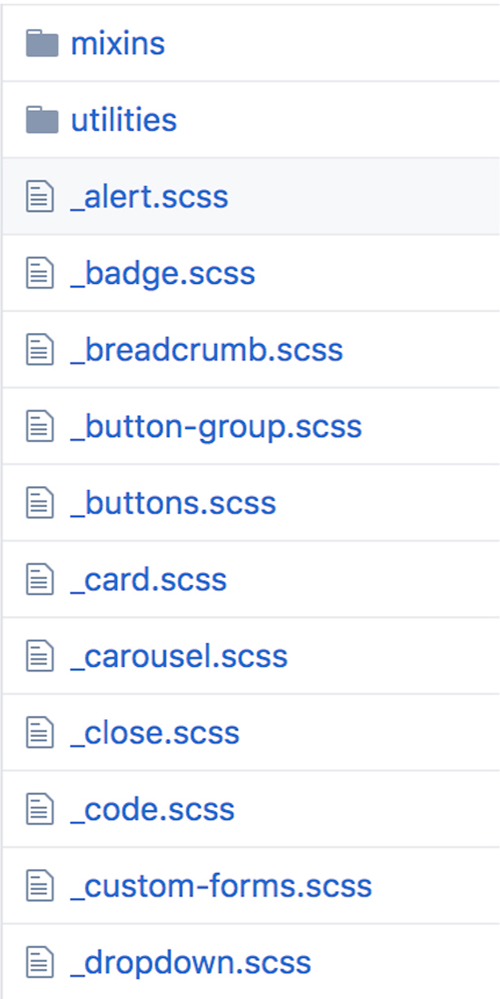
Browse the Bootstrap component snapshot to see how a larger design system can be decomposed into reusable components and their dependencies. section 10.3
