A differential backup copies database data pages changed since the full backup that established its differential base. It is usually lighter than a full backup, but its size and runtime grow with the number of changed pages. On busy OLTP systems, it can still affect performance. section 12.1
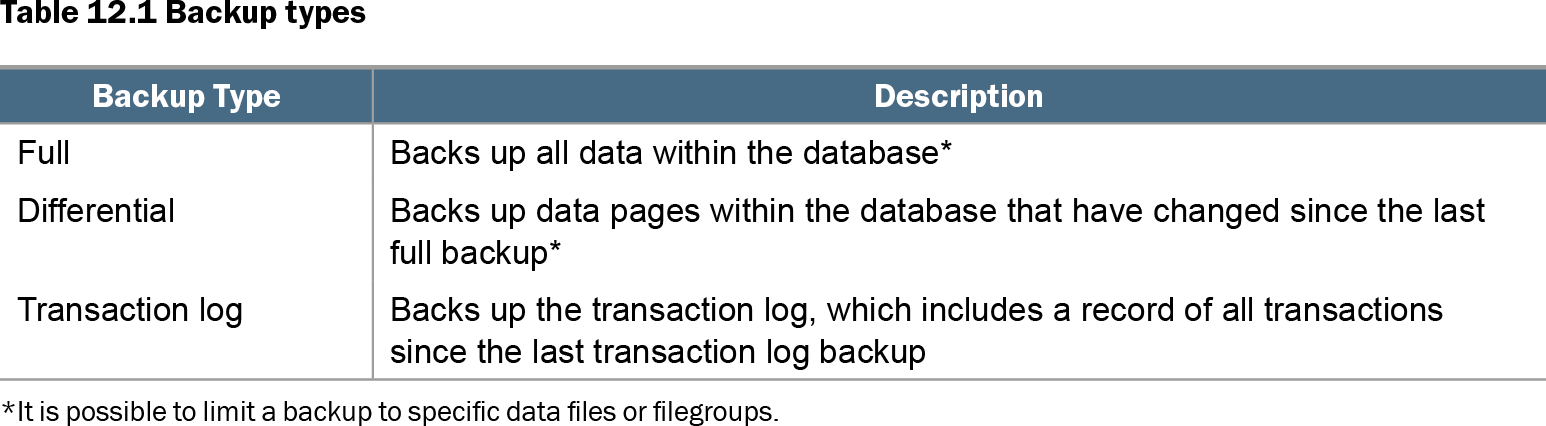
Table 12.1 Backup types (view table figure)
| Backup Type |
Description |
|---|---|
| Full |
Backs up all data within the database* |
| Differential |
Backs up data pages within the database that have changed since the last full backup* |
| Transaction log |
Backs up the transaction log, which includes a record of all transactions since the last transaction log backup |
| *It is possible to limit a backup to specific data files or filegroups. |
|
Compare full, differential, and transaction log backups before choosing a recovery plan. Differential backups protect changed data pages; transaction log backups supply point-in-time recovery. section 12.1
Restore planning is the important constraint: restore the relevant full backup, then its differential backup, then transaction log backups if later recovery is needed. A full or differential backup alone cannot stop recovery immediately before an erroneous update or deletion; transaction log backups can. section 12.1 section 12.6
The discarded 10 a.m. backup
Suppose full backup runs at 1 a.m., differentials at 6 a.m., noon, and 6 p.m., and log backups hourly. An ordinary full backup taken ad hoc at 10 a.m. becomes the new differential base. If that 10 a.m. file is discarded, the noon and 6 p.m. differential backups cannot be restored; recovery must instead use the 6 a.m. differential and more log backups. Take the ad hoc full backup WITH COPY_ONLY so it does not alter the differential base. section 12.10
Listing 12.11 Taking a COPY_ONLY backup
BACKUP DATABASE Marketing
TO  DISK = 'D:\Backups\MarketingFullCopyOnly.bak'
WITH COPY_ONLY ;
Use this SQL Server command pattern for an ad hoc full backup that preserves the scheduled differential chain. section 12.10
Use differential backups deliberately:
- Schedule full backups during a suitable maintenance window, then account for the changing workload and duration of differentials. section 12.1
- Avoid overlapping backups with ETL work; where schedules allow, use weekly full backups and nightly differentials after ETL. section 12.5
- Reassess the plan during heavy nightly ETL or index rebuilds, because an end-of-week differential may become too large for its backup window. section 12.5
- Use COPY_ONLY for ad hoc full backups outside the normal schedule, and retain the full backup required by every differential. section 12.10