A full backup captures all data in a database at a point in time and provides the foundation for restoration. It is mandatory for restoring databases using the SIMPLE recovery model, and it also anchors backup strategies that use differential or transaction log backups. section 12.1 section 12.6
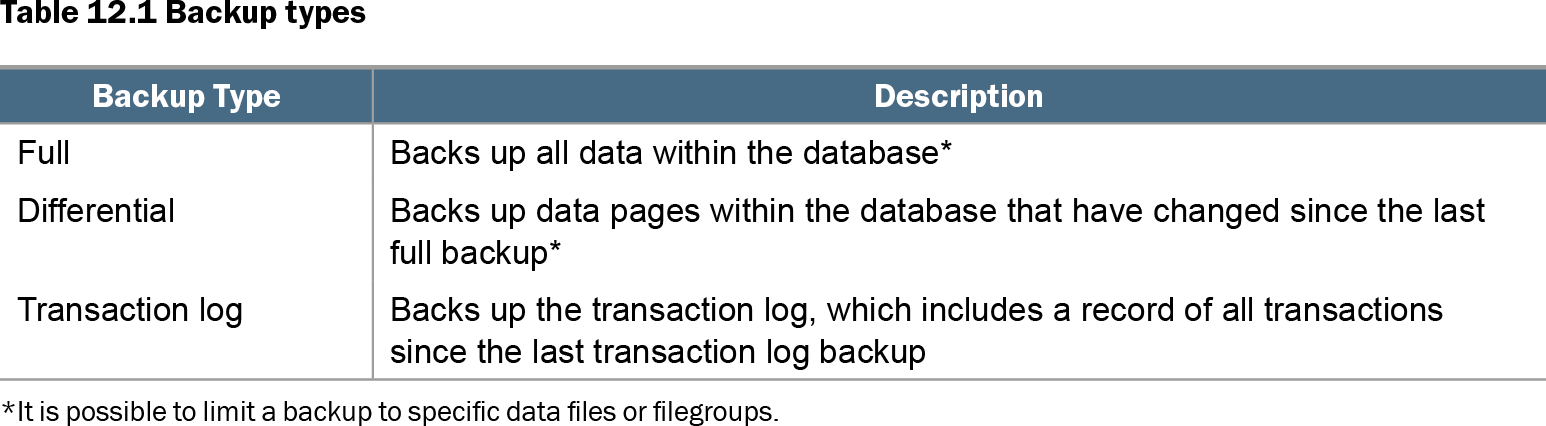
Table 12.1 Backup types (view table figure)
| Backup Type |
Description |
|---|---|
| Full |
Backs up all data within the database* |
| Differential |
Backs up data pages within the database that have changed since the last full backup* |
| Transaction log |
Backs up the transaction log, which includes a record of all transactions since the last transaction log backup |
| *It is possible to limit a backup to specific data files or filegroups. |
|
Compare full backups with differential and transaction log backups before choosing a schedule: each changes restore capability, storage use, and operational impact. section 12.1
Treat a full backup as a costly but necessary recovery baseline, not as a harmless routine task. It has the greatest resource impact of the available backup types and can impair a busy system, so it is commonly scheduled in a maintenance window. Backup frequency should satisfy recovery point objective (RPO) and recovery time objective (RTO) without consuming unnecessary storage or compute capacity. section 12.1
Do not restore into a half-finished ETL run
A full backup can be transactionally consistent while still being unusable from a business perspective. If an ETL process loads and transforms related data across many transactions, a backup taken mid-run may capture only part of the business operation. Restoring it can lead to duplicates or inconsistent warehouse data when the process is rerun. Schedule the backup outside that window, or validate that the ETL process is safely rerunnable. section 12.5
An ordinary ad hoc full backup can quietly alter a differential-backup restore plan. A full backup taken before a change becomes the new differential base; if it is discarded, later differentials based on it cannot be restored. For an off-schedule restore point or a development refresh, use a COPY_ONLY full backup so the normal differential base and restore sequence remain intact. section 12.10
Initialize FULL recovery after a promotion
Changing a database from SIMPLE to FULL recovery model is not enough to make scheduled transaction log backups work. Take a full backup immediately after the change to initialize the new recovery model; otherwise log backups fail until the next full backup, leaving an avoidable recovery gap. section 12.8 section 12.6
Use these rules when planning a full backup:
- Schedule it with its resource cost and the required RPO and RTO in mind. section 12.1
- Avoid taking it during non-rerunnable, multi-transaction ETL processing. section 12.5
- Use COPY_ONLY for ad hoc full backups when differential backups are part of the plan. section 12.10
- Take one immediately after changing from SIMPLE to FULL recovery model. section 12.8