A DNS record is a structured mapping that connects a domain name with an address, service, server, alias, reverse lookup target, or administrative value. section 3.1.5
Recognize the principal record types:
- A maps a domain name to an IPv4 address; AAAA maps it to an IPv6 address. section 3.1.5
- CNAME maps one domain name to another, commonly providing a www alias. section 3.1.5
- MX identifies mail servers, while NS identifies authoritative DNS servers. section 3.1.5
- PTR maps an IP address back to a domain name for reverse DNS lookup. section 3.1.5
- SOA stores administrative information such as contact details and a serial number. section 3.1.5
Operational examples
Typical mappings include example.com -> 192.0.2.1 for an A record, example.com -> 2001:db8::1 for an AAAA record, www.example.com -> example.com for a CNAME, and 192.0.2.1 -> example.com for a PTR record. DNS lookup services can display records by type. section 3.1.5
Cisco IOS can act as a DNS client or server. Enable queries with ip domain lookup, identify the resolver with ip name-server ip-address, configure service with ip dns server, set a default suffix with ip domain name name, and add static mappings with ip host name ip-address. The lookup feature is enabled by default. section 3.3
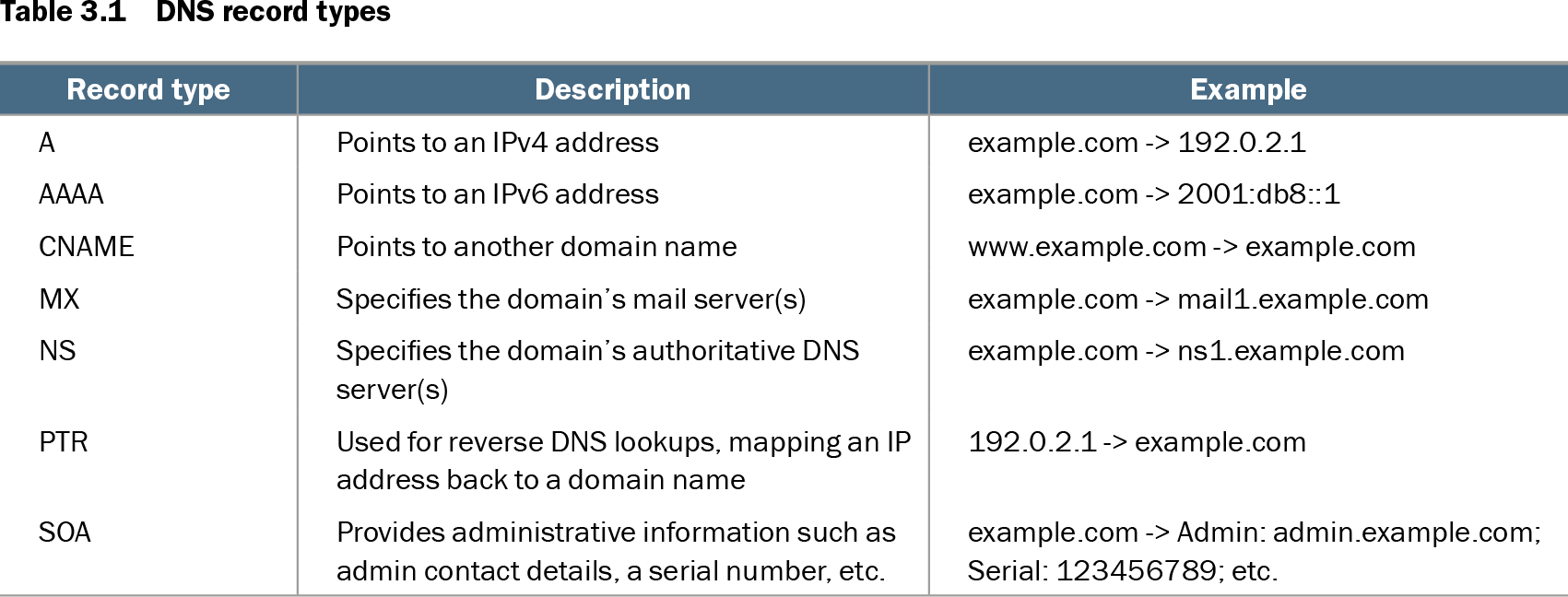
Table 3.1 DNS record types (view table figure)
| Record type |
Description |
Example |
|---|---|---|
| A |
Points to an IPv4 address |
example.com -> 192.0.2.1 |
| AAAA |
Points to an IPv6 address |
example.com -> 2001:db8::1 |
| CNAME |
Points to another domain name |
www.example.com -> example.com |
| MX |
Specifies the domain’s mail server(s) |
example.com -> mail1.example.com |
| NS |
Specifies the domain’s authoritative DNS server(s) |
example.com -> ns1.example.com |
| PTR |
Used for reverse DNS lookups, mapping an IP address back to a domain name |
192.0.2.1 -> example.com |
| SOA |
Provides administrative information such as admin contact details, a serial number, etc. |
example.com -> Admin: admin.example.com; Serial: 123456789; etc. |
Use the record-type table to compare each DNS record’s direction, purpose, and representative value. section 3.1.5