liveBook · Manning

DKIM

As explained in AI for Everyday IT

DKIM is an email-authentication standard that uses domain-associated digital signatures to verify message integrity and claimed origin.

DKIM (DomainKeys Identified Mail) uses digital signatures to help verify that an email has not been tampered with. In phishing analysis, it is checked alongside SPF and DMARC to identify authentication failures. section 7.1.3

Checking a suspicious email

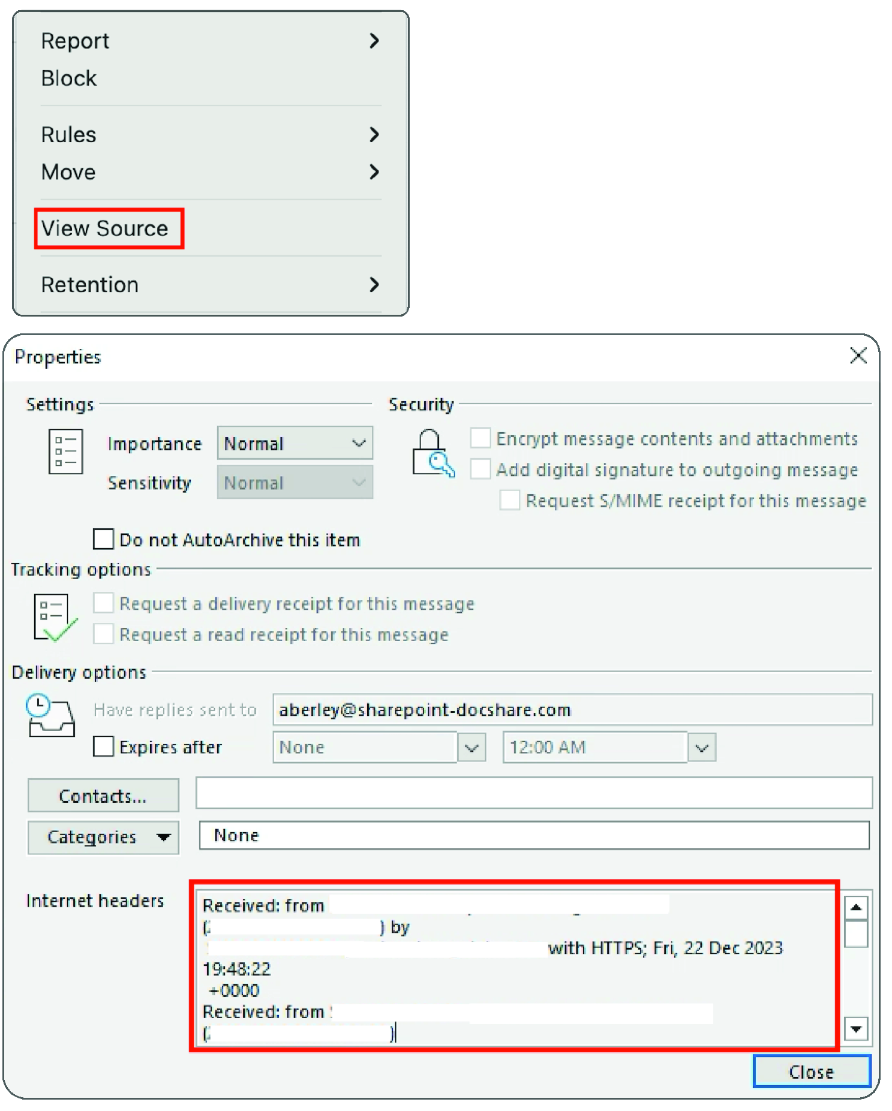
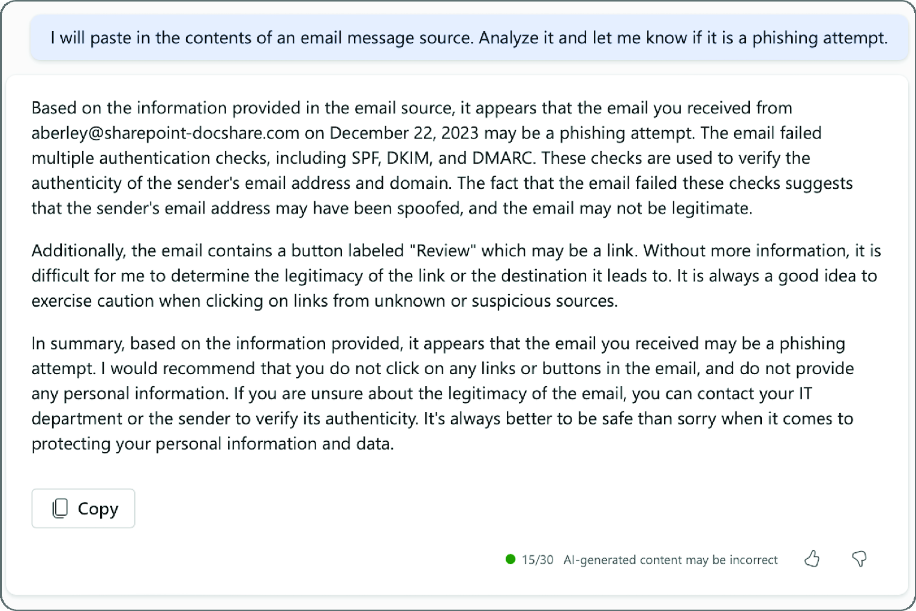
Copy an email’s source text and headers into an AI assistant and ask whether it shows signs of phishing. The analysis can flag DKIM, SPF, or DMARC failures, alongside suspicious sender information such as a supposed SharePoint message using an unofficial domain. section 7.1.3

Figure 7.2 Finding the source text and headers of an email in Outlook for Mac and PC
figure

Locate the email’s source text and headers before analyzing its authentication results. section 7.1.3

Figure 7.3 M365 Copilot analysis of email source text
figure

Review an example of M365 Copilot analyzing pasted email source text. section 7.1.3

How AI for Everyday IT covers it

How deep it goes
Defines DKIM’s signature-based integrity check but does not explain signature mechanics or deployment.
Examples
Uses pasted email source text, authentication failures, and a suspicious SharePoint-style sender domain.
What it assumes
Assumes access to email source text and headers while allowing AI-assisted analysis without detailed protocol knowledge.
What you can do after
Diagnose phishing indicators by interpreting DKIM results alongside SPF and DMARC findings.
How it connects
Connects DKIM with SPF, DMARC, phishing, email headers, and digital signatures.

Related concepts

This explainer was generated by Manning's knowledge graph from the text of AI for Everyday IT. The section links point to the parts of the book it draws on.