Email authentication protocols help receiving systems check whether a message came from an authorized sending server and whether its contents were altered. They provide useful evidence when investigating suspicious workplace email. section 7.1.3
The main checks are:
- SPF verifies that the sending server is authorized for the sender’s domain. section 7.1.3
- DKIM uses digital signatures to verify that the email was not tampered with. section 7.1.3
- DMARC tells receiving servers how to handle authentication failures. section 7.1.3
Checking a suspicious email
Copy the email’s source and headers into M365 Copilot and ask it to determine whether the message is phishing. Authentication failures can support that assessment, but users should also inspect links and sender details. section 7.1.3
Figure 7.2 Finding the source text and headers of an email in Outlook for Mac and PC
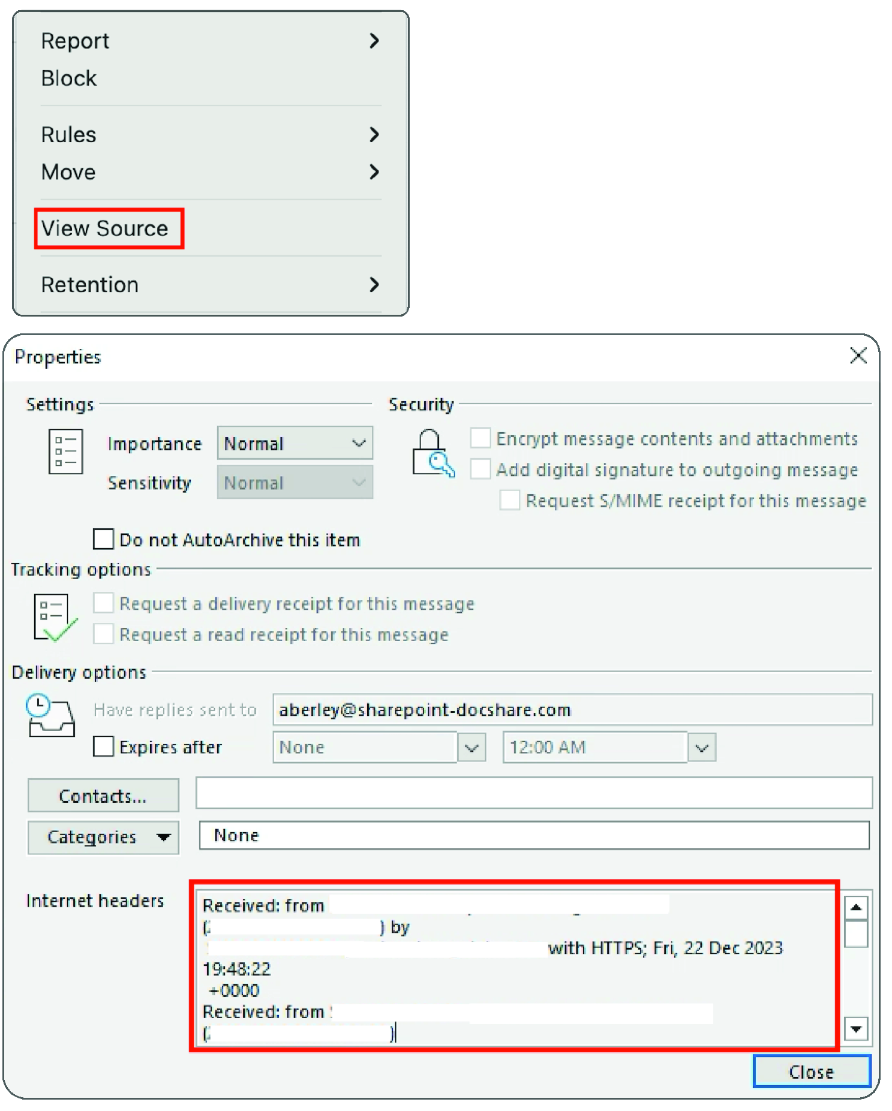
Shows where to find email source text and headers in Outlook for Mac and PC. section 7.1.3
Figure 7.3 M365 Copilot analysis of email source text
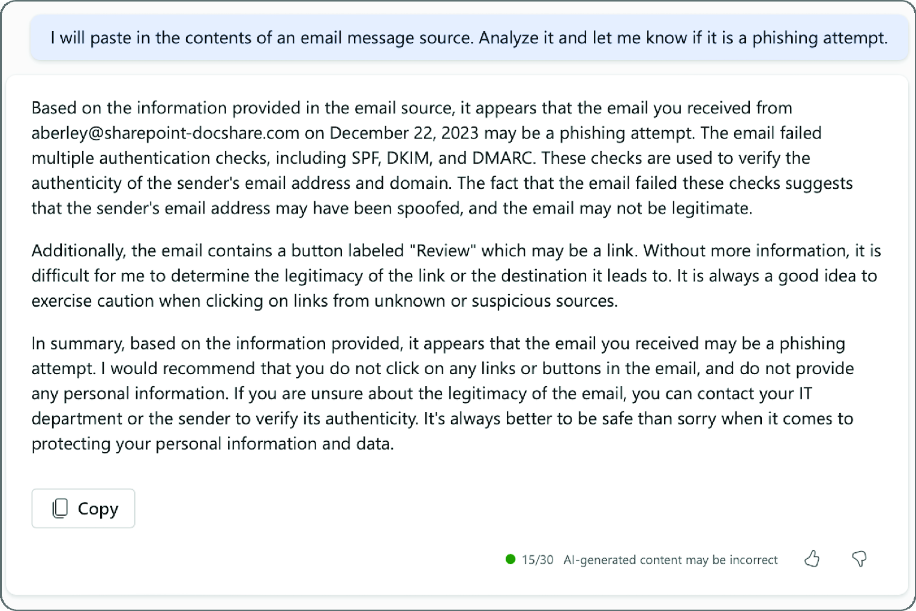
Shows an M365 Copilot analysis of pasted email source text. section 7.1.3
