liveBook · Manning

Virtual network

As explained in Building Web APIs with ASP.NET Core

An Azure virtual network is an isolated network in Azure that provides connectivity and traffic control for deployed resources.

An Azure virtual network is an isolated Azure network that connects deployed resources and controls their traffic. When creating a Windows VM, select or create its virtual network as part of the Networking configuration. section 12.2.2

Configure the network during VM creation:

  • Create a virtual network named <ResourceGroupName>-vnet, using the default new-network option. section 12.2.2
  • Allow only selected public inbound ports: HTTP (80) and HTTPS (443). section 12.2.2
  • Keep ports 22 and 3389 closed to reduce exposure during deployment. section 12.2.2

Board-game API VM

For a Windows VM hosting the board-game API, create <ResourceGroupName>-vnet and expose HTTP and HTTPS while leaving SSH and RDP closed. section 12.2.2
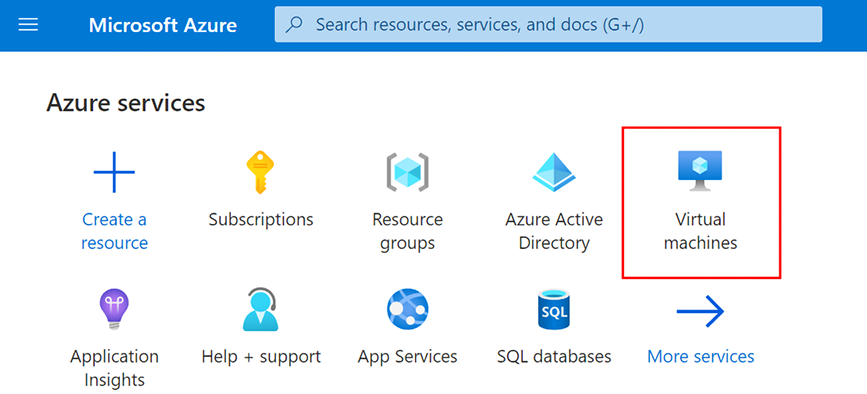
Figure 12.7 Create a new VM in Azure.
12-07

Use the Azure VM creation screen to locate the virtual-network and inbound-port settings. section 12.2.2


How Building Web APIs with ASP.NET Core covers it

How deep it goes
Configures network naming and inbound ports during VM creation, but leaves broader networking design and default settings unexplored.
Examples
Uses a resource-group-derived virtual-network name and permits HTTP and HTTPS while closing SSH and RDP.
What it assumes
Assumes familiarity with beginning an Azure VM deployment and selecting settings in its creation interface.
What you can do after
Operate/configure an Azure VM deployment with a named virtual network and restricted public inbound ports.
How it connects
Connects Azure virtual machines with public inbound ports, HTTP, HTTPS, SSH, and RDP.

Also explained in

Compare how 4 books explain virtual network →

Related concepts

This explainer was generated by Manning's knowledge graph from the text of Building Web APIs with ASP.NET Core. The section links point to the parts of the book it draws on.

