A Docker Swarm manager node coordinates a cluster of virtual machines: it tells worker nodes which tasks to run, schedules jobs, and manages the cluster. By default, a manager also acts as a worker. section 9.1
A Swarm deployment uses these related terms:
- Worker node: runs the containers, called tasks, that the manager assigns. section 9.1
- Task: a running container; once defined, it stays on its assigned node. section 9.1
- Service: declares a task to execute across manager or worker nodes. section 9.1
- Stack: collects services for deployment and is defined in a Docker Compose file. section 9.1
Configure the manager as the primary control point. In a three-node setup, create one manager and two workers; make changes through the manager while workers follow its instructions. Initialize it with docker swarm init --advertise-addr <private-ip-address>, then use the generated join token to add workers. section 9.1.1 section 9.1.3
Deploying application services
A manager can deploy a stack containing an NGINX load balancer, a Python web service, and a Node.js API service. Compose service names provide hostnames such as web and api, allowing NGINX to route requests while the manager coordinates placement across the cluster. section 9.1.1 section 9.1
Figure 9.2 Docker Swarm initialization output
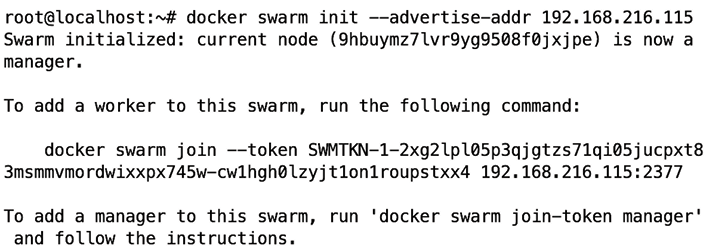
Use the initialization output to find the worker join command and token returned by the manager. section 9.1.3

