dotnet ef database update creates the database when necessary and applies every migration that has not yet been applied. EF Core then brings the database schema into line with the application's data model. section 12.3.1 section 12.6
Run the command from the application project folder, then expect EF Core to:
- Create the necessary tables, columns, and keys. section 12.3.1
- Record applied migration names in the __EFMigrationsHistory table. section 12.3.1
- Apply only newly added migrations when the command runs again. section 12.3.1
- Report “No project was found” if run from the top-level solution folder instead of the application project folder. section 12.3.1
Apply the initial schema
After creating a migration such as dotnet ef migrations add InitialSchema, run dotnet ef database update. EF Core creates the database if needed and applies the migration; later runs apply only outstanding migrations. section 12.3.1 section 12.6
Figure 12.7 Applying migrations to a database creates the database if it doesn’t exist and updates the database to match EF Core’s internal data model. The list of applied migrations is stored in the __EFMigrationsHistory table.
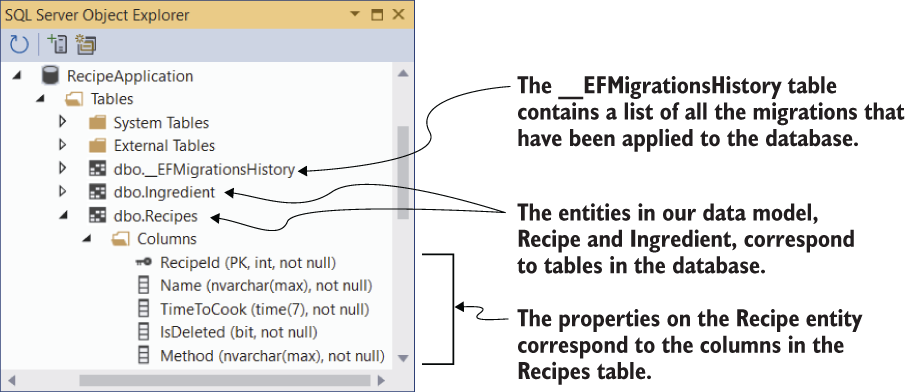
Use the schema diagram to see how applying migrations creates the database and records applied migrations. section 12.3.1
