ease-in is a CSS timing-function keyword for motion that starts slowly and accelerates toward the end. Its cubic Bézier curve stays near the bottom-left before rising sharply, so most change happens late. section 11.1.4 section 11.2.3
Read the curve through its timing and progress coordinates:
- Treat x as elapsed time and y as animation progress. section 11.1.4
- Use the first control point to shape the beginning and the second to shape the ending behavior. section 11.1.4 section 11.5
- Choose ease-in when a notification or other element should begin gently and accelerate away. section 11.4
A slow-start, fast-finish curve
A custom curve such as cubic-bezier(0.7, 0, 0.8, 0) delays acceleration until late in a two-second slide, producing dramatic final acceleration. section 11.4
Figure 11.8 The cubic Bézier curve defined by the ease-in keyword or cubic -bezier(0.42, 0, 1, 1)
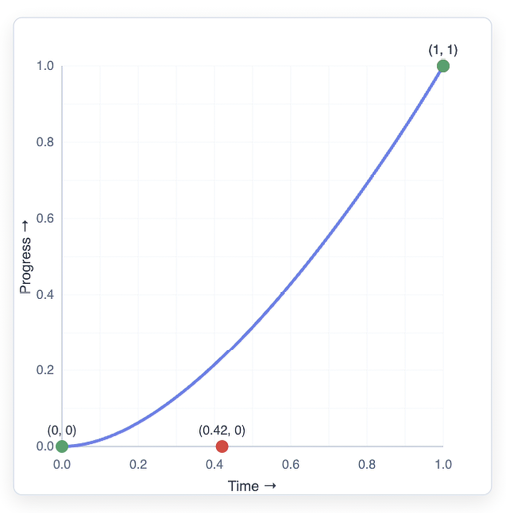
Inspect the curve defined by the ease-in keyword and compare its late-rising shape with other timing functions. section 11.2.3
