Encapsulation wraps a potentially complex object behind a simpler external interface. A Web Component can expose an element, attributes, methods, getters, and setters while managing its own internal behavior. section 8.1
A self-contained object is only half the goal. Good encapsulation also controls access so callers use the component as intended. Privacy may be enforced technically or communicated by convention, such as prefixing internal properties with an underscore. section 8.1 section 8.4
Web Components apply encapsulation in several connected ways:
- Custom elements provide a simple way to place the component on an HTML page. section 8.1
- Modules and templates help manage dependencies, while attributes and class-based APIs define intended control points. section 8.1
- The Shadow DOM protects internal DOM from accidental outside changes, while an open boundary preserves a way to bypass protection when necessary. section 8.4
A component that hides complexity
A page can consume a custom element with a small public API while the element performs complicated internal work. Without a protective boundary, outside code might change its innerHTML or accidentally select one of its buttons; Shadow DOM limits these intrusions. section 8.1 section 15.1
Figure 8.1. Encapsulation means hiding the inner workings of an object, but it often includes choosing how and where to provide access from the outside in.
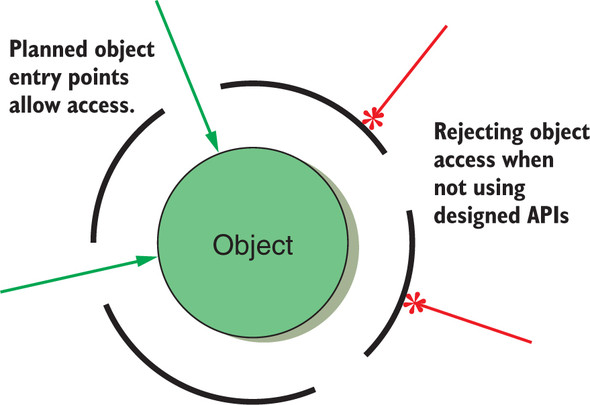
Use the figure to distinguish an object's hidden inner workings from the deliberate access points exposed to outside code. section 8.1













