The enterprise level applies configuration across organizations managed by a GitHub enterprise. It provides centralized control over self-hosted runner availability and runner-group access. section 7.1 section 6.4
Use enterprise-level settings to:
- Create runner groups and make them available to all organizations or selected organizations and repositories. section 7.1
- Restrict a runner group to selected workflows, such as workflows requiring GPU-enabled runners. section 7.1
- Disable self-hosted runner creation across all organizations, then remove existing runners manually where necessary. section 6.4
Controlled GPU runner group
Create a runner group with selected visibility, selected repository IDs, and workflow restrictions so expensive GPU runners are reserved for approved workflows rather than routine linting jobs. section 7.1
Figure 6.14 Disabling self-hosted runners at the enterprise level
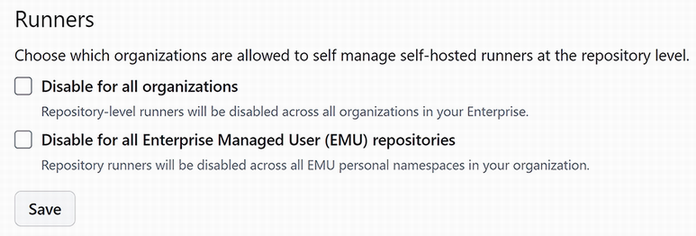
Use the enterprise-level settings view to locate the control that disables self-hosted runner creation across organizations. section 6.4
