A flat file source reads text-file rows into an SSIS data flow through a flat file connection manager. Its output columns can be renamed or selectively passed onward, such as mapping external ImpressionUID to ImpressionID. section 6.1
Avoid the tempting mistake of silently discarding bad rows:
- Review the Columns page to select external columns and define the output names consumed by downstream components. section 6.1
- Configure Error Output separately for general errors and data truncations. The default behavior fails the component when a row cannot pass through. section 6.1
- If failures are ignored, route the error output to an error table instead of throwing away the rejected data. section 6.1
Impression load
Create a flat file source from the flat file connection manager, map ImpressionUID to ImpressionID, and connect the source to an OLE DB destination. Keep the default failure behavior unless a deliberate error-output path records rejected rows. section 6.1
Figure 6.5 Flat file source editor—Error Output page set to ignore failure
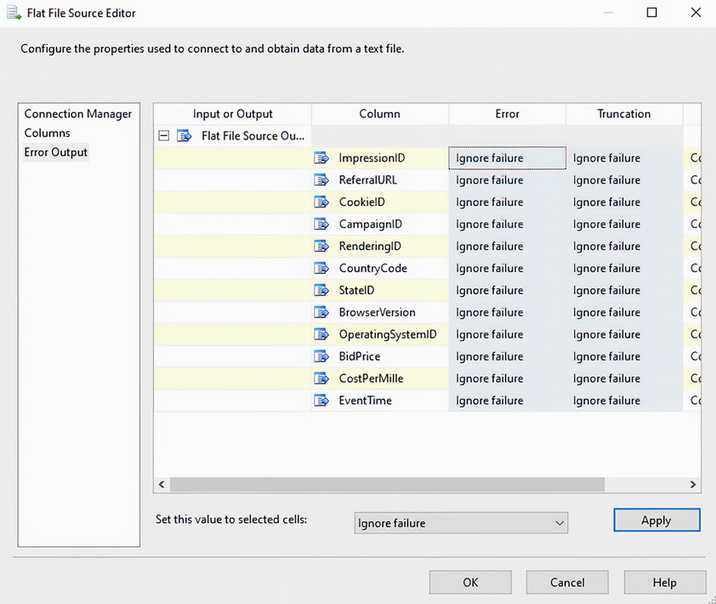
Inspect the Flat File Source Editor's Error Output page when choosing whether failed rows should fail the flow or continue through an error path. section 6.1
