FormTagHelper processes form elements in Razor markup, using ASP.NET Core routing to generate action URLs for controller actions or Razor Pages instead of hard-coded paths. section 27.3.1
Configure the form target with attributes:
- Use asp-action to select a controller action; omit asp-controller to target the controller rendering the view. section 27.3.1
- Use asp-page to target a Razor Page and asp-page-handler to select its handler method. section 27.3.1
- Specify method explicitly: without it, the helper adds method="post", which can surprise developers expecting HTML GET behavior. section 27.3.1
- When the form target is generated through routing attributes, the helper adds an anti-CSRF security token to the response. section 27.8
Target a controller action
<form asp-action="submitform" method="post"> <input name="Name" value="@Model.Name" /> <button type="submit">Submit</button> </form> This renders a form whose action targets the routed submitform action, such as /controllers/Form/submitform. A Razor Page form can instead use asp-page="FormHandler" and render an action such as /pages/form.
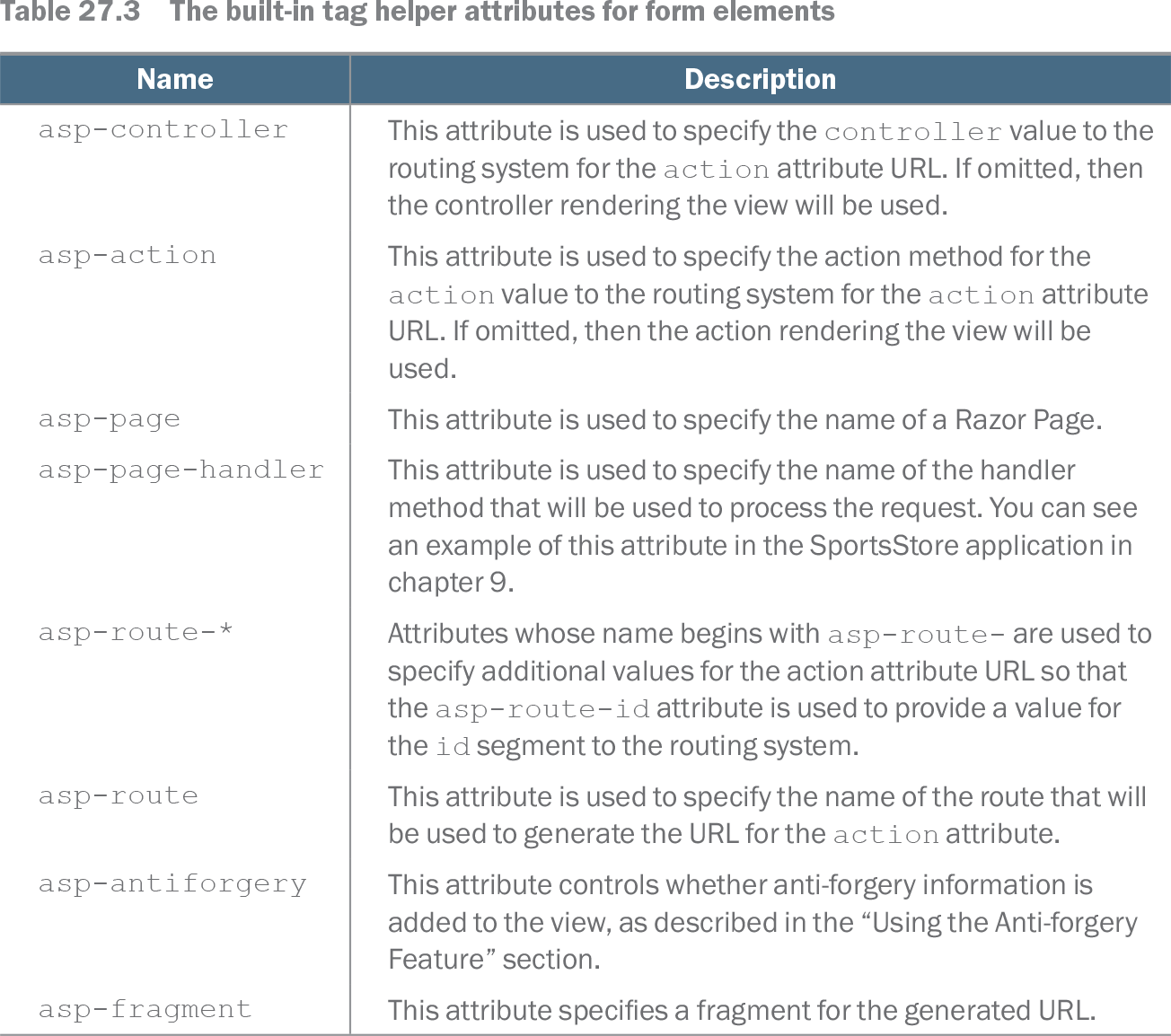
Table 27.3 The built-in tag helper attributes for form elements (view table figure)
| Name |
Description |
|---|---|
| asp-controller |
This attribute is used to specify the controller value to the routing system for the action attribute URL. If omitted, then the controller rendering the view will be used. |
| asp-action |
This attribute is used to specify the action method for the action value to the routing system for the action attribute URL. If omitted, then the action rendering the view will be used. |
| asp-page |
This attribute is used to specify the name of a Razor Page. |
| asp-page-handler |
This attribute is used to specify the name of the handler method that will be used to process the request. You can see an example of this attribute in the SportsStore application in chapter 9. |
| asp-route-* |
Attributes whose name begins with asp-route- are used to specify additional values for the action attribute URL so that the asp-route-id attribute is used to provide a value for the id segment to the routing system. |
| asp-route |
This attribute is used to specify the name of the route that will be used to generate the URL for the action attribute. |
| asp-antiforgery |
This attribute controls whether anti-forgery information is added to the view, as described in the “Using the Anti-forgery Feature” section. |
| asp-fragment |
This attribute specifies a fragment for the generated URL. |
Browse the complete attribute table for controller, action, Razor Page, handler, and additional-route-value configuration. section 27.3.1