Geospatial data represents the spatial geometry of geographic features. It can describe latitude and longitude coordinates, points such as cities, lines such as roads, or polygons such as countries. section 3.1.3 section 13.1
Common forms and map-making steps include:
- Read geographic data as GeoJSON, which stores coordinate arrays for points, lines, and polygons. section 13.7
- Use TopoJSON when smaller files and detailed web rendering matter; decode it with an external library before treating it with D3. section 13.7
- Create a D3 map by defining a projection, initializing d3.geoPath(), and appending paths to an SVG container. section 13.7
- Project longitude and latitude into SVG coordinates, then add interaction such as zooming, panning, or brushing. section 13.0 section 13.7
Birthplaces and Nobel laureates
A geospatial visualization can map the countries and cities where Nobel Prize laureates were born. An Equal Earth projection supports a world map from GeoJSON, while a Mercator projection supports a more detailed map of France from TopoJSON. section 13.0
Figure 3.7 Geographic data stores the spatial geometry of objects. Each country in this image is represented as a separate feature with an array of values indicating its shape. Geographic data can also consist of points (e.g., for cities) or lines (e.g., for roads).
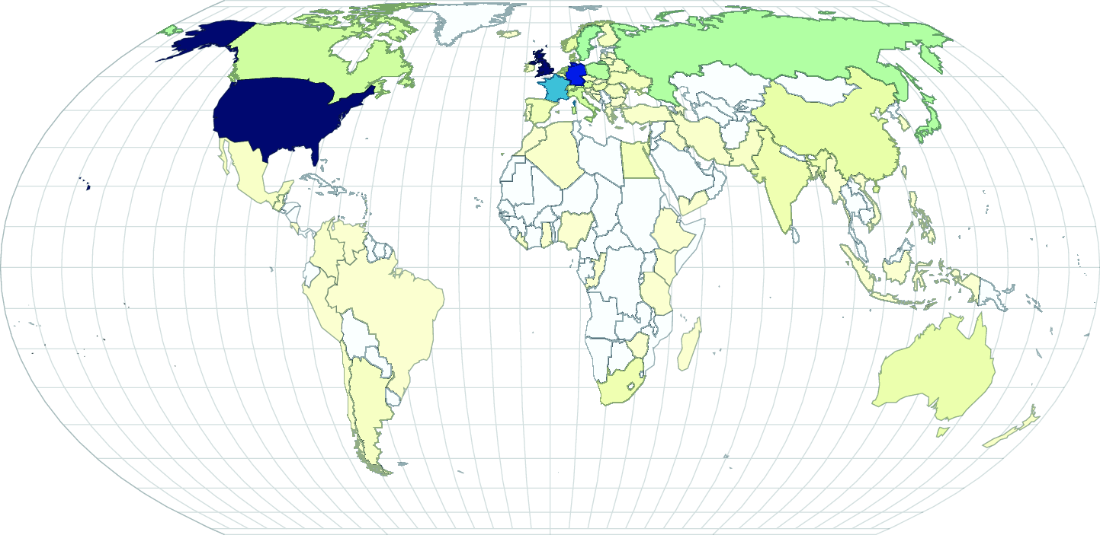
Shows how geographic features store spatial geometry and distinguishes country polygons from city points and road lines. section 3.1.3

