The globaljson template adds a global.json file that selects the .NET SDK version used by a project. Pinning the SDK helps a development team obtain consistent results despite framework changes. section 4.1.1
Pin an SDK for a new project
Run `dotnet new globaljson --sdk-version 7.0.100 --output MySolution/MyProject` before creating the project. Then create the application with `dotnet new web --no-https --output MySolution/MyProject --framework net7.0`. section 4.1.1
The template fits into a wider command-line setup:
- Use the web template for the minimal ASP.NET Core project, then create and populate a solution with `dotnet new sln` and `dotnet sln ... add`. section 4.1.1
- Place global.json in the intended project hierarchy so the SDK selection applies to the project. section 4.1.1
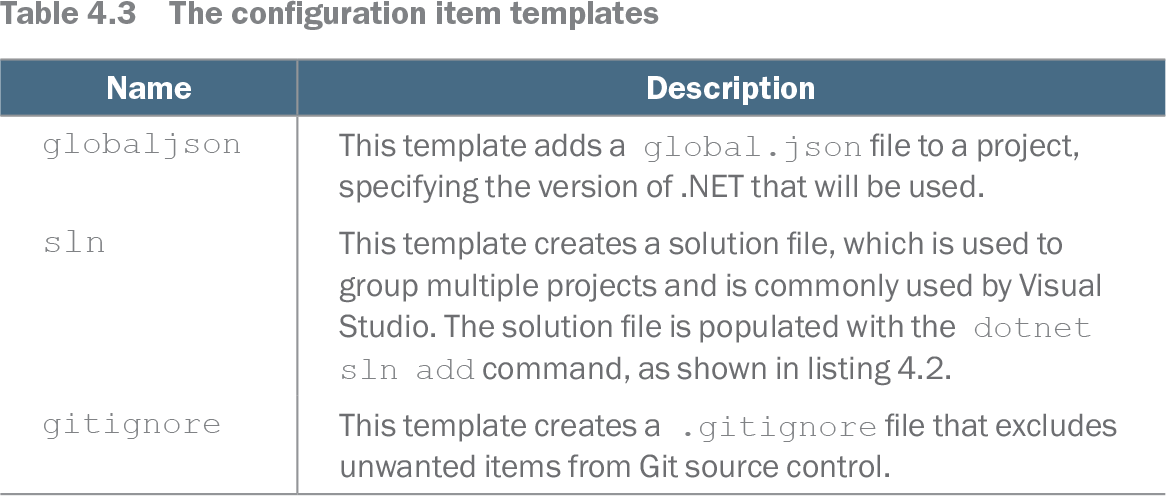
Table 4.3 The configuration item templates (view table figure)
| Name |
Description |
|---|---|
| globaljson |
This template adds a global.json file to a project, specifying the version of .NET that will be used. |
| sln |
This template creates a solution file, which is used to group multiple projects and is commonly used by Visual Studio. The solution file is populated with the dotnet sln add command, as shown in listing 4.2. |
| gitignore |
This template creates a .gitignore file that excludes unwanted items from Git source control. |
Compare globaljson with related configuration item templates such as solution and Git-ignore generation. section 4.1.1