Google Site Kit is a free WordPress plugin that connects a site to Google services and displays selected performance data in a simplified dashboard. It suits beginners who want basic traffic monitoring without a dedicated analytics tool. section 12.4.2 section 12.4.1
Site Kit is useful when you want:
- An at-a-glance view of important Google Analytics metrics inside WordPress. section 12.4.2
- An easy connection to Google Analytics, Search Console, AdSense, PageSpeed Insights, and Tag Manager. section 12.4.2
- A free, beginner-friendly alternative to more detailed analytics plugins. section 12.4.2 section 12.4.1
Choosing a simple analytics dashboard
A new site owner who wants basic traffic insights and easy access to several Google services can choose Site Kit. Someone needing custom tracking, detailed reports, or advanced user-behavior analysis may need a more specialized analytics plugin instead. section 12.4.2
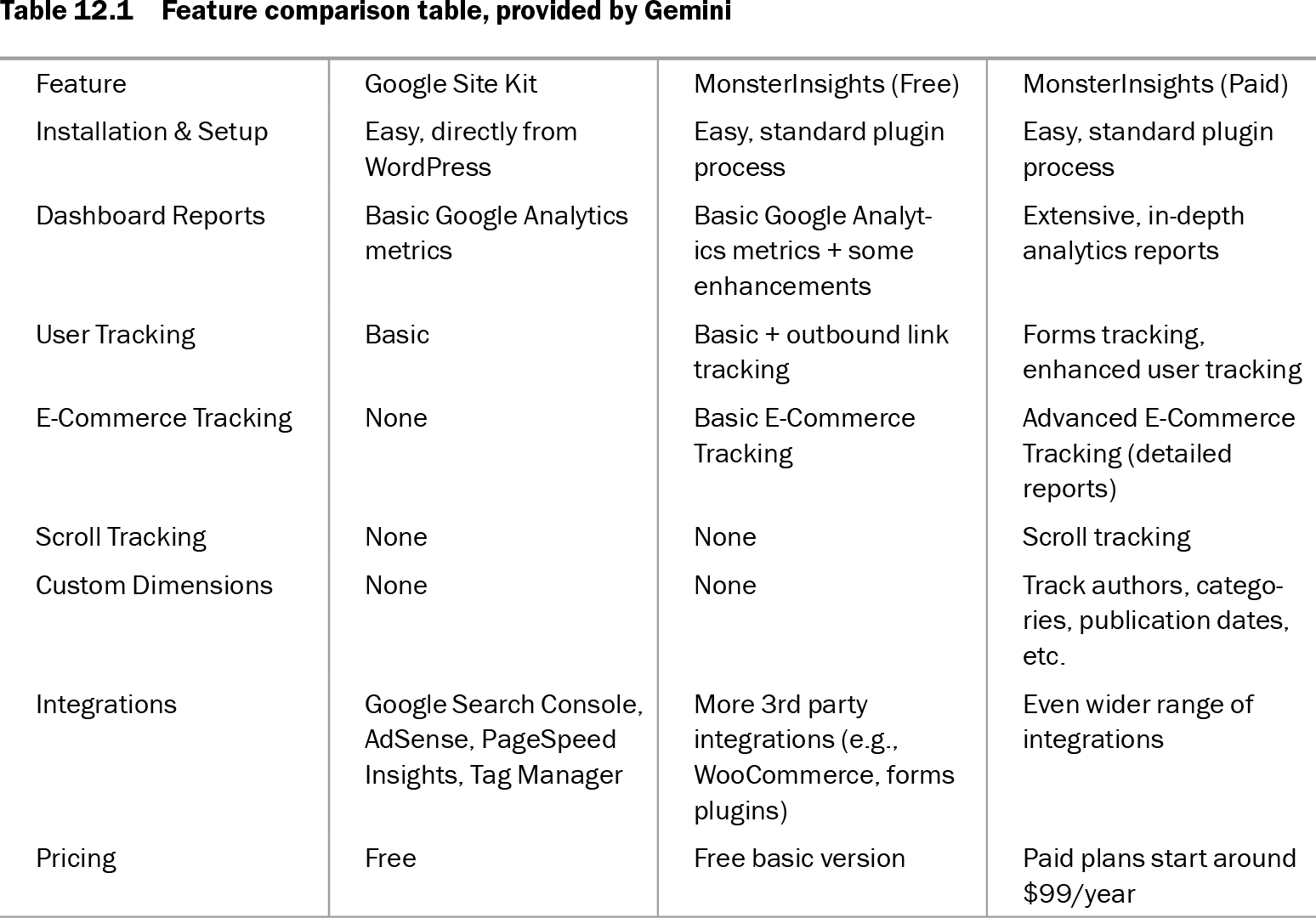
Table 12.1 Feature comparison table, provided by Gemini (view table figure)
| Feature |
Google Site Kit |
MonsterInsights (Free) |
MonsterInsights (Paid) |
| Installation & Setup |
Easy, directly from WordPress |
Easy, standard plugin process |
Easy, standard plugin process |
| Dashboard Reports |
Basic Google Analytics metrics |
Basic Google Analytics metrics + some enhancements |
Extensive, in-depth analytics reports |
| User Tracking |
Basic |
Basic + outbound link tracking |
Forms tracking, enhanced user tracking |
| E-Commerce Tracking |
None |
Basic E-Commerce Tracking |
Advanced E-Commerce Tracking (detailed reports) |
| Scroll Tracking |
None |
None |
Scroll tracking |
| Custom Dimensions |
None |
None |
Track authors, categories, publication dates, etc. |
| Integrations |
Google Search Console, AdSense, PageSpeed Insights, Tag Manager |
More 3rd party integrations (e.g., WooCommerce, forms plugins) |
Even wider range of integrations |
| Pricing |
Free |
Free basic version |
Paid plans start around $99/year |
Compare Site Kit with free and paid MonsterInsights across setup, reports, tracking, e-commerce, and integrations. section 12.4.2