MonsterInsights is a WordPress plugin that connects a site to Google Analytics without requiring you to add tracking code to WordPress files. It acts as a setup wizard, a clearer front end, and a report summary tool, placing key analytics in the WordPress Dashboard. section 12.4.1
Use its reports to move from raw traffic numbers to practical questions: Which landing pages attract visitors? What does the audience do? Which keywords, downloads, links, ads, and forms lead to engagement or conversions? The resulting information can guide content and marketing changes aimed at traffic, audience growth, sales, and email-list growth. section 5.1 section 12.4.1
MonsterInsights brings together tracking and interpretation features, including:
- Dashboard reports and more than a dozen summaries, including landing-page, funnel, and audience reports. section 12.4.1
- Tracking for downloads, clicked links or ads, form conversions, and visitor behavior. section 5.1
- E-commerce tracking and GDPR compliance assistance, including an audience opt-out option for data collection. section 12.4.1
- AI-powered real-time insights, recommendations, and automated report generation for rapid responses to site performance. section 12.4.1
Choosing reporting depth
Choose Google Site Kit for free, basic traffic monitoring and connections to several Google services. Choose MonsterInsights when the priority is Google Analytics reporting inside WordPress, more advanced tracking, or deeper analysis of on-site behavior. Free MonsterInsights supplies core reporting; paid plans add more extensive reports and tracking. section 12.4.2
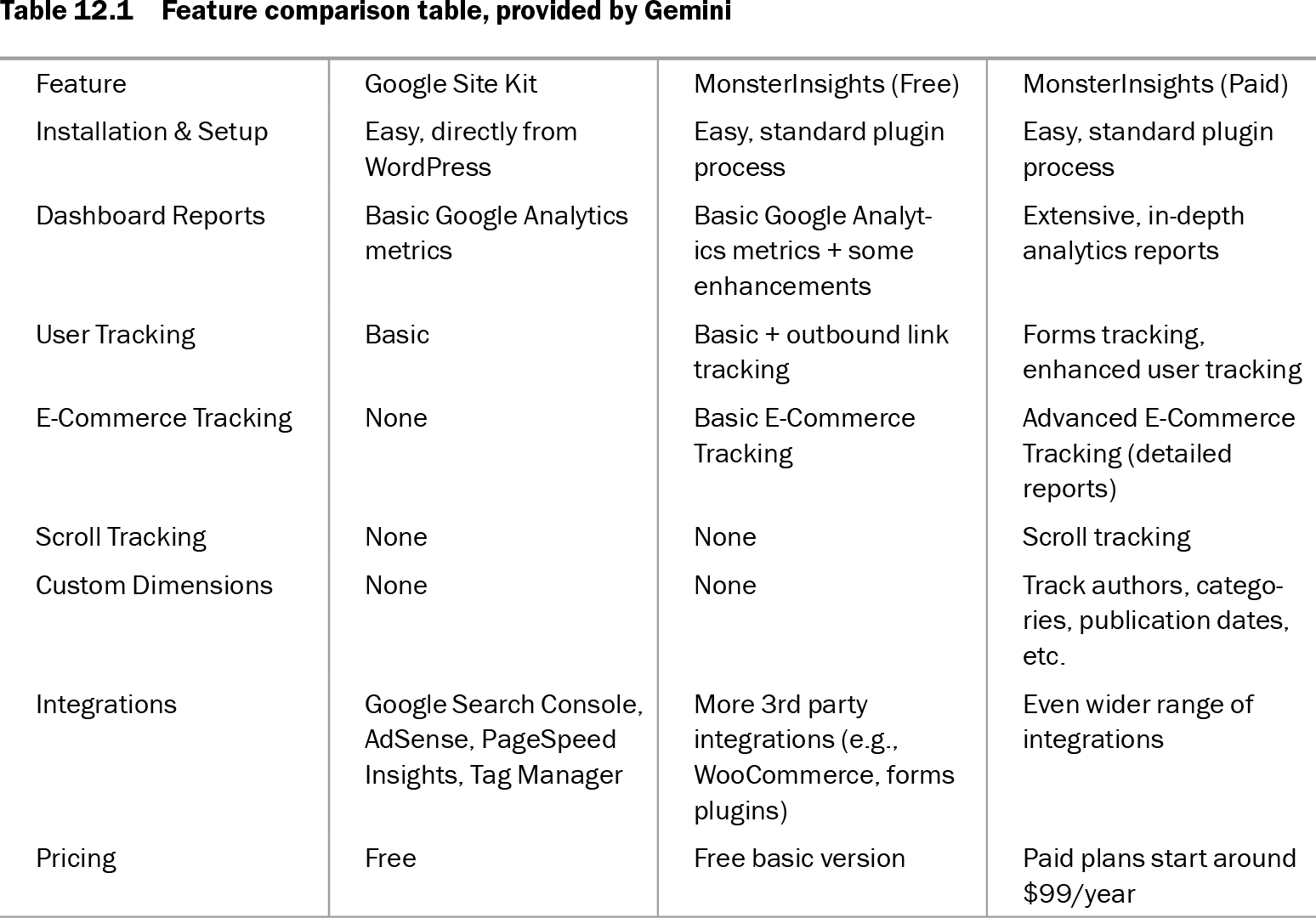
Table 12.1 Feature comparison table, provided by Gemini (view table figure)
| Feature |
Google Site Kit |
MonsterInsights (Free) |
MonsterInsights (Paid) |
| Installation & Setup |
Easy, directly from WordPress |
Easy, standard plugin process |
Easy, standard plugin process |
| Dashboard Reports |
Basic Google Analytics metrics |
Basic Google Analytics metrics + some enhancements |
Extensive, in-depth analytics reports |
| User Tracking |
Basic |
Basic + outbound link tracking |
Forms tracking, enhanced user tracking |
| E-Commerce Tracking |
None |
Basic E-Commerce Tracking |
Advanced E-Commerce Tracking (detailed reports) |
| Scroll Tracking |
None |
None |
Scroll tracking |
| Custom Dimensions |
None |
None |
Track authors, categories, publication dates, etc. |
| Integrations |
Google Search Console, AdSense, PageSpeed Insights, Tag Manager |
More 3rd party integrations (e.g., WooCommerce, forms plugins) |
Even wider range of integrations |
| Pricing |
Free |
Free basic version |
Paid plans start around $99/year |
Compare Site Kit with free and paid MonsterInsights by setup, dashboard reports, tracking, e-commerce features, custom dimensions, and integrations. section 12.4.2