`group.id` is a Kafka consumer configuration that names the consumer group a consumer belongs to. Consumers using the same value are mapped into one logical consumer, allowing them to share work from a topic rather than each independently processing the same partition assignments. section 4.3 section 4.3.2
Set `group.id` when building the configuration map passed to `KafkaConsumer`. The value is an arbitrary string, but its operational meaning is significant: matching values join consumers together; different group IDs form independent groups that do not affect one another. section 4.3 section 4.3.2
Within one group, Kafka coordinates partition ownership as follows:
- A topic partition is assigned to only one active consumer in the group; assigning it to multiple consumers produces undefined behavior. section 4.3.2
- Consumers divide available partitions among themselves. With six partitions and three consumers, each consumer receives two partitions. section 4.3.2
- The partition count caps active parallelism. A group with six partitions can have up to six active consumers; additional consumers are idle. section 4.3.2
- When a member fails, misses a required timeout, returns, or a new member joins, rebalancing redistributes assignments among active members. section 4.3.2
Sales consumers sharing a group
A sales consumer subscribes to topic names, repeatedly calls `poll(Duration.ofSeconds(5))`, and processes each `ProductTransaction`. Run several such consumers with the same `group.id` to have them work as one logical consumer, with Kafka assigning topic partitions across them. section 4.3 section 4.3.2
Figure 4.9 Consumer groups allow the assignment of topic partitions across multiple consumers.
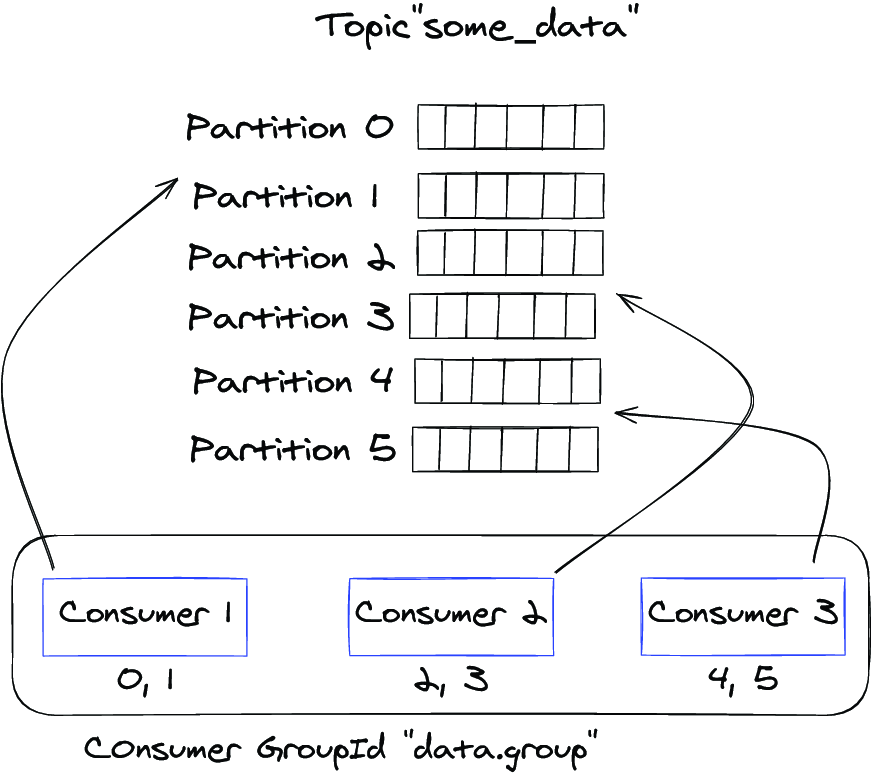
This diagram shows how one consumer group spreads topic-partition assignments across its members. section 4.3.2
Figure 4.10 The Kafka rebalance protocol reassigns topic partitions from failed consumers to currently active ones.
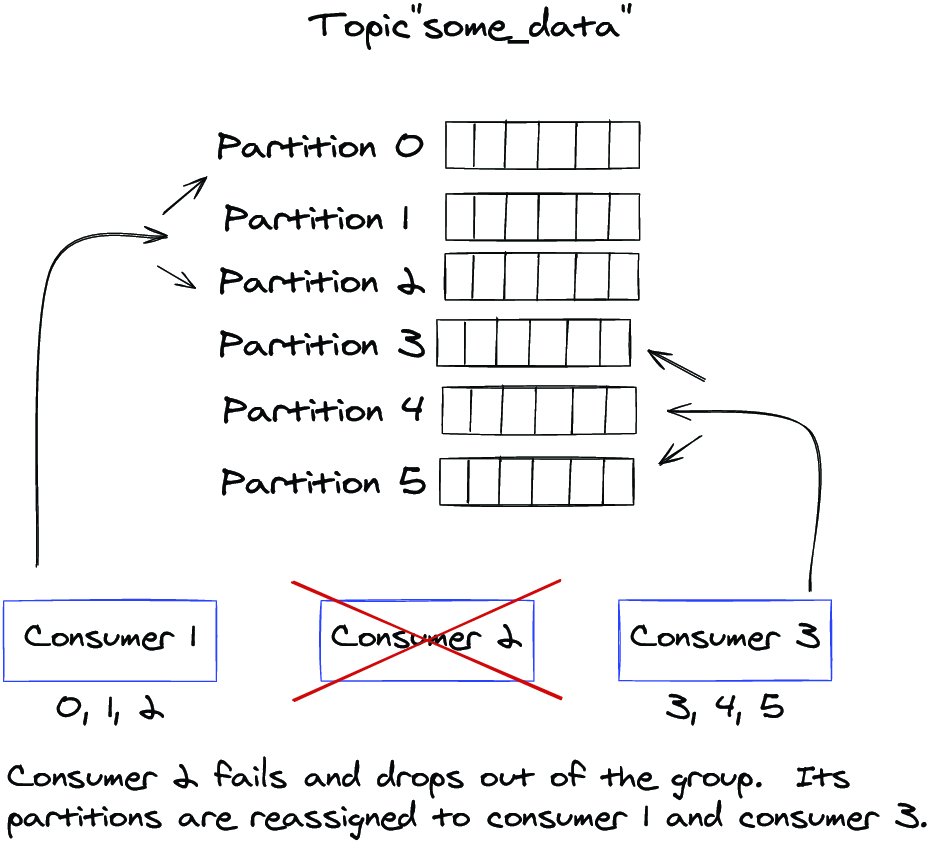
This diagram shows assignments moving from a failed consumer to the remaining active members during a rebalance. section 4.3.2

