A hero image is the prominent visual near the top of a website or page. It is usually the first image visitors see, so it should represent the site’s content and establish a clear starting point for attention. section 8.4 section 6.7.1
Prepare a hero image with these practical targets:
- Use 1,280 × 720 pixels, a 16:9 aspect ratio, and an approximate 200 KB JPG file size. section 8.4
- Set resolution to 72 PPI for screen display; higher PPI increases file size without improving onscreen appearance. section 8.4
- Choose colors, fonts, and shapes that can be echoed elsewhere on the page to create visual cohesion. section 6.7.1
- Use the image as a focal point that guides the visitor’s eye along the intended path through the page. section 6.7.1
A practical preparation check
Before uploading a photograph to a website, resize it to 1,280 × 720 pixels, set it to 72 PPI, and save an appropriately compressed JPG. Then check that its subject remains clear and that its visual style fits the rest of the page. section 8.4 section 6.7.1
Figure 8.8 Change an image’s size and resolution in a module like this one.
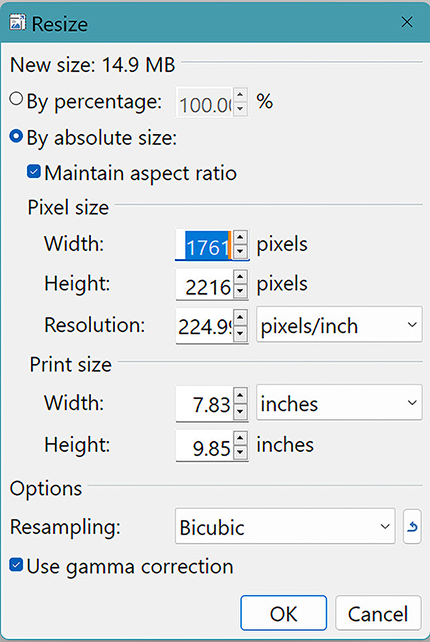
Use the image-sizing interface to adjust the hero image’s dimensions and resolution before placing it on the page. section 8.4


