A 404 Not Found response means the requested endpoint or entity could not be found. ASP.NET Core generates one when no endpoint matches a URL; an endpoint can also return one when it matches the URL but cannot find the requested item. Whether to use 404 for a missing item is a matter of debate, so choose a convention that suits your API. section 15.5 section 5.3.1
A fruit ID that does not exist
For GET /fruit/{id}, a minimal API can return TypedResults.Ok(fruit) when the ID exists and Results.NotFound() when it does not. A web API controller can make the same choice by returning the fruit or calling NotFound(). In both cases, the route matches; the requested item is missing. section 5.3.1 section 20.1
Check the response as well as the request. Swagger UI lets you enter an ID, execute the GET request, and inspect the result. If it returns 404 but the OpenAPI description lists only 200, add response metadata so the documented possibilities match the API. section 11.2
Choose how much content a 404 response needs:
- For a minimal API or web API, a status code without an additional response body is generally acceptable. section 15.5
- For a Razor Pages app used directly by people, provide an error page rather than leaving them with a generic error display. Place StatusCodePagesMiddleware early: it handles bodyless 4xx and 5xx responses produced later in the pipeline. section 15.5
- Use re-execution to generate a page through the application pipeline. A redirect instead sends a 302 response and makes the browser request the error-page URL separately. section 15.5
Figure 15.6 StatusCodePagesMiddleware reexecuting the pipeline to generate an HTML body for a 404 response. A request to the / path returns a 404 response, which is handled by the status code middleware. The pipeline is reexecuted using the /404 path to generate the HTML response.
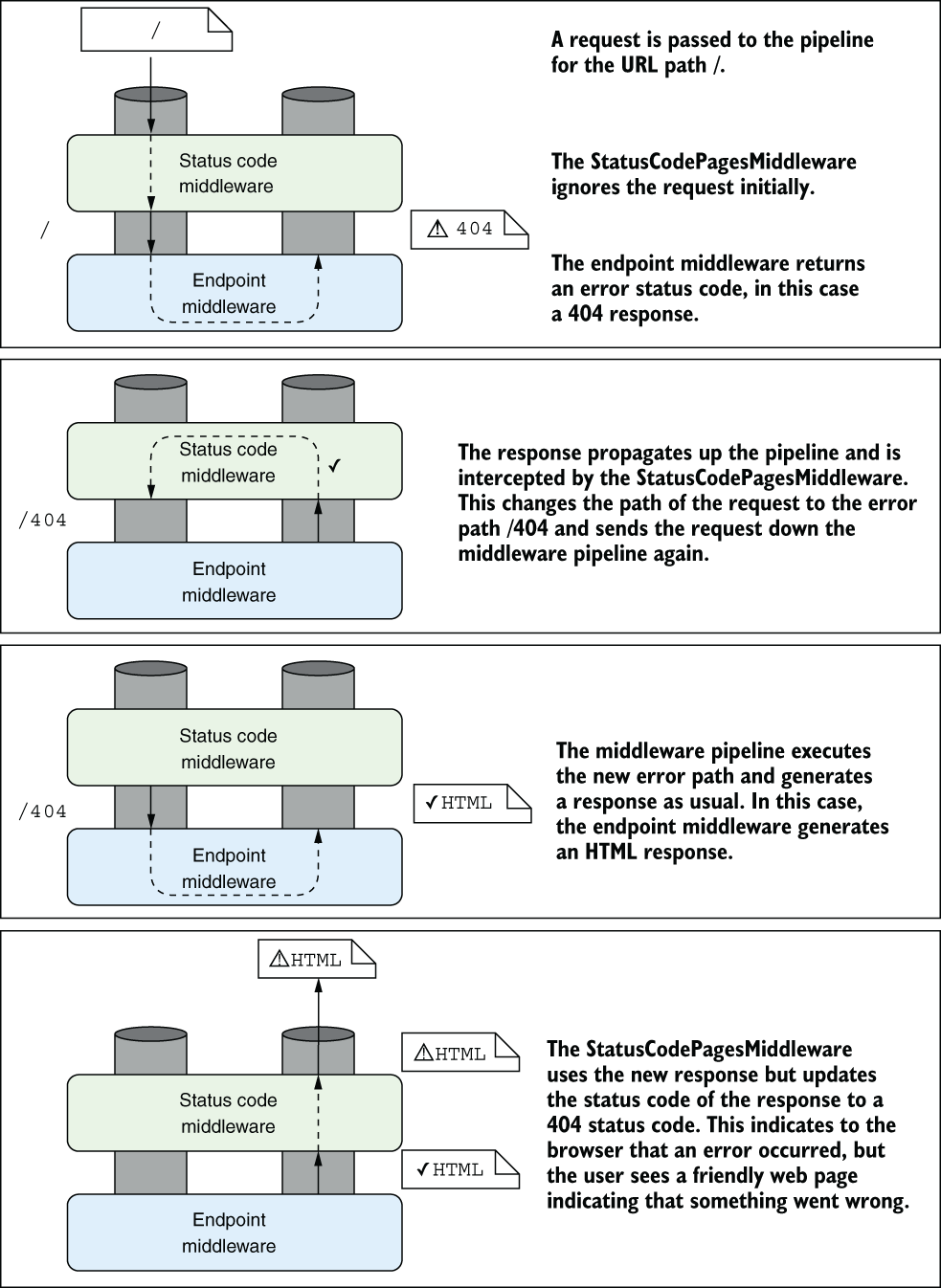
The diagram traces a 404 through pipeline re-execution at /404, making the difference between detecting the error and generating its HTML page easier to see. section 15.5


