A hybrid interface combines familiar graphical controls with natural-language interaction. It preserves visual structure and predictability while giving users flexible ways to express desired outcomes without specifying every step. section 3.3.1
Use each mode where it provides the clearest balance between flexibility and control:
- Use conversation for open-ended inputs, creative work, and outputs that benefit from natural-language exploration. section 3.3.1
- Use buttons, menus, previews, and other graphical elements where actions or inputs must remain fixed and well defined. section 3.3.1
- Treat the combination as a trust and adoption choice, especially when users need both AI flexibility and predictable workflows. section 3.3.1 section 3.4
AI-assisted code generation
A developer can converse with an AI about code while using familiar controls for Preview, Deploy, and Console. Creative coding remains flexible, while operational actions stay structured. section 3.3.1
Figure 3.9 Vercel, a tool for code generation, has a hybrid interface. The user converses with the AI on the code, but common actions such as Preview, Deploy, and Console can be accessed via familiar graphical elements.
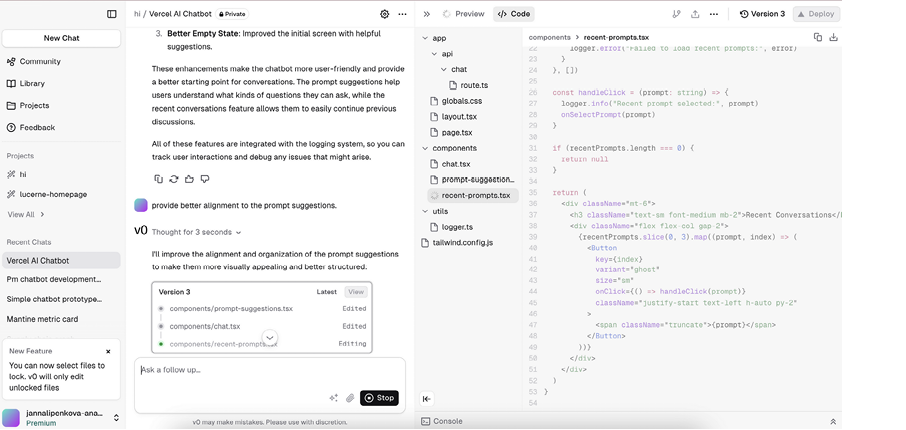
The figure shows how conversational code work and familiar graphical actions can occupy one interface. section 3.3.1
