Inpainting fills a selected region of an image while preserving the rest. A text prompt describes the desired change, and a mask acts as a digital stencil: white pixels are editable, while black pixels remain protected. section 2.2 section 2.2.1
Diffusion models perform the edit through iterative denoising. The input image anchors the composition, the prompt guides the result, and the mask constrains changes to the selected region by reinserting unmasked content during restoration. section 2.2.1
A practical inpainting workflow uses a pretrained pipeline:
- Load an inpainting pipeline and move it to an available device. section 2.2.2
- Provide the source image, mask image, descriptive prompt, and optional negative prompt. section 2.2.2
- Adjust generation controls such as guidance scale and strength, then inspect the generated image. section 2.2.2
Turning a horse into a zebra
A horse photograph, a mask over the horse, and the prompt “a zebra replacing the original horse, same pose, same lighting, background unchanged” produce a localized attempted zebra edit while retaining the surrounding scene. section 2.2.1 section 2.2.2
Figure 2.5 The model inputs
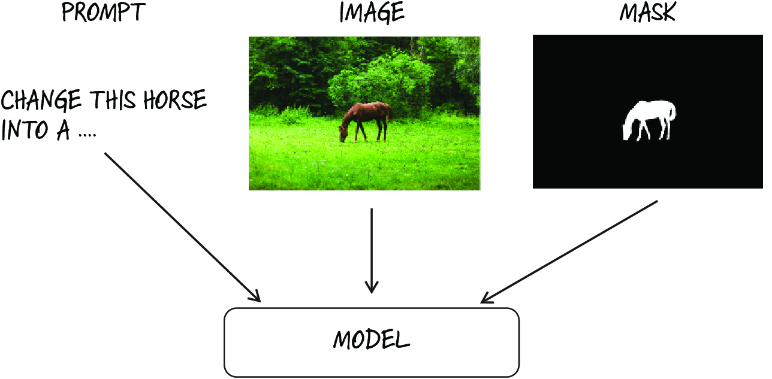
Shows the image, mask, and prompt as the model inputs that jointly control an inpainting edit. section 2.2.1
Figure 2.6 A diffusion model gradually processing an image
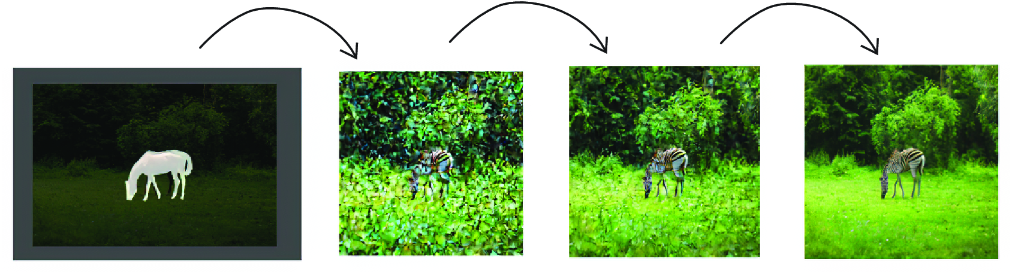
Visualizes successive denoising stages as a masked image becomes a blended edited result. section 2.2.1


