Django’s is_valid() method checks whether submitted form data follows the form’s field definitions. A typical view creates an unbound form for GET requests, binds request.POST for POST requests, and calls is_valid() before doing anything with the submission. section 7.1.1 section 7.6
A practical request path looks like this:
- Create CommentForm() when the page is displayed with GET. section 7.1.1
- Create CommentForm(request.POST) when the user submits the form with POST. section 7.1.1
- Call form.is_valid(); True means the data complies with the form definition, while invalid data adds error information to the form. section 7.1.1 section 7.6
- Read form.cleaned_data only after successful validation; its keys match the form field names. section 7.6
- Process valid data, such as sending email and redirecting; render the form again when validation fails. section 7.1.1
Validating a comment submission
A comment view can use the method like this: `form = CommentForm(request.POST)` followed by `if form.is_valid(): name = form.cleaned_data["name"]; comment = form.cleaned_data["comment"]; send_mail(...); return redirect("comment_accepted")`. If the condition is false, execution reaches the form renderer, which can display the validation errors. Browser-side checks may help users, but requests can bypass them, so validation belongs in the view too. section 7.1.1 section 7.6
Figure 7.2 Logic flow for a view that handles form submission
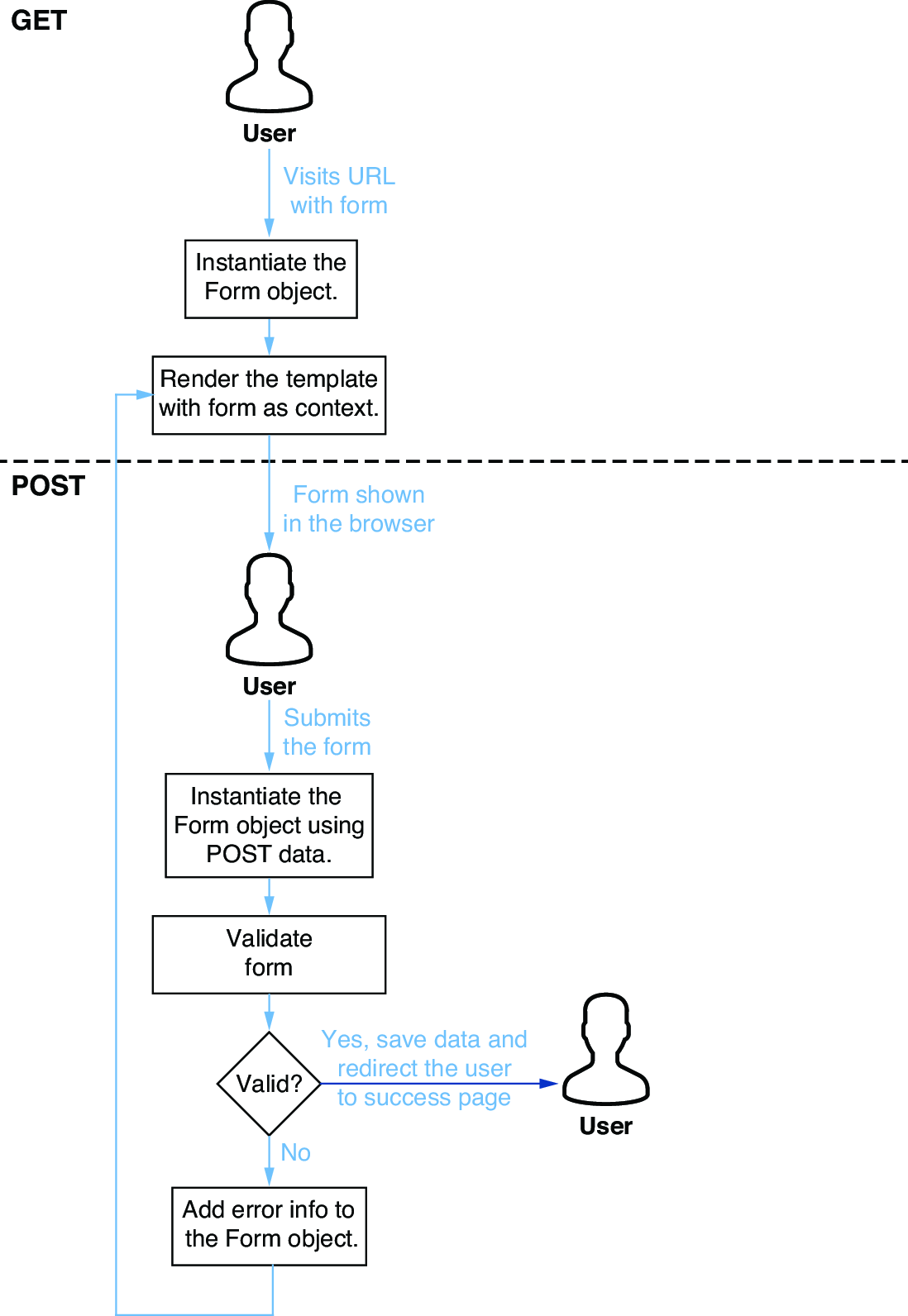
Follow the request decision flow from displaying a blank form through validating a POST and redisplaying errors or redirecting after success. section 7.1.1
