JSON (JavaScript Object Notation) is a lightweight text format for structured data exchange. It uses key-value structures and ordered arrays, making complex data readable and widely transferable across languages. section 22.3.1 section 22.3
Use Python’s standard-library json module to translate between JSON and native Python values:
- Decode a string with json.loads() or read a file-like object with json.load(). section 22.3.1
- Encode a Python value to a string with json.dumps() or write it to a file with json.dump(). section 22.3.1
- Map JSON objects to dict, arrays to list, strings to str, numbers to int or float, true and false to True and False, and null to None. section 22.3.1
- Pretty-print nested data with json.dumps(value, indent=2), or inspect it with pprint for easier reading. section 22.3.1
Decode an API response
import json import requests response = requests.get("https://api.open-meteo.com/v1/forecast?latitude=41.882&longitude=-87.623¤t=temperature_2m,wind_speed_10m") weather = json.loads(response.text) print(weather["current"]["temperature_2m"]) # 16.9 requests responses can also expose the decoded value directly with response.json(). Save a decoded value with json.dump(weather, outfile), or obtain an encoded string with json.dumps(weather). section 22.3.1
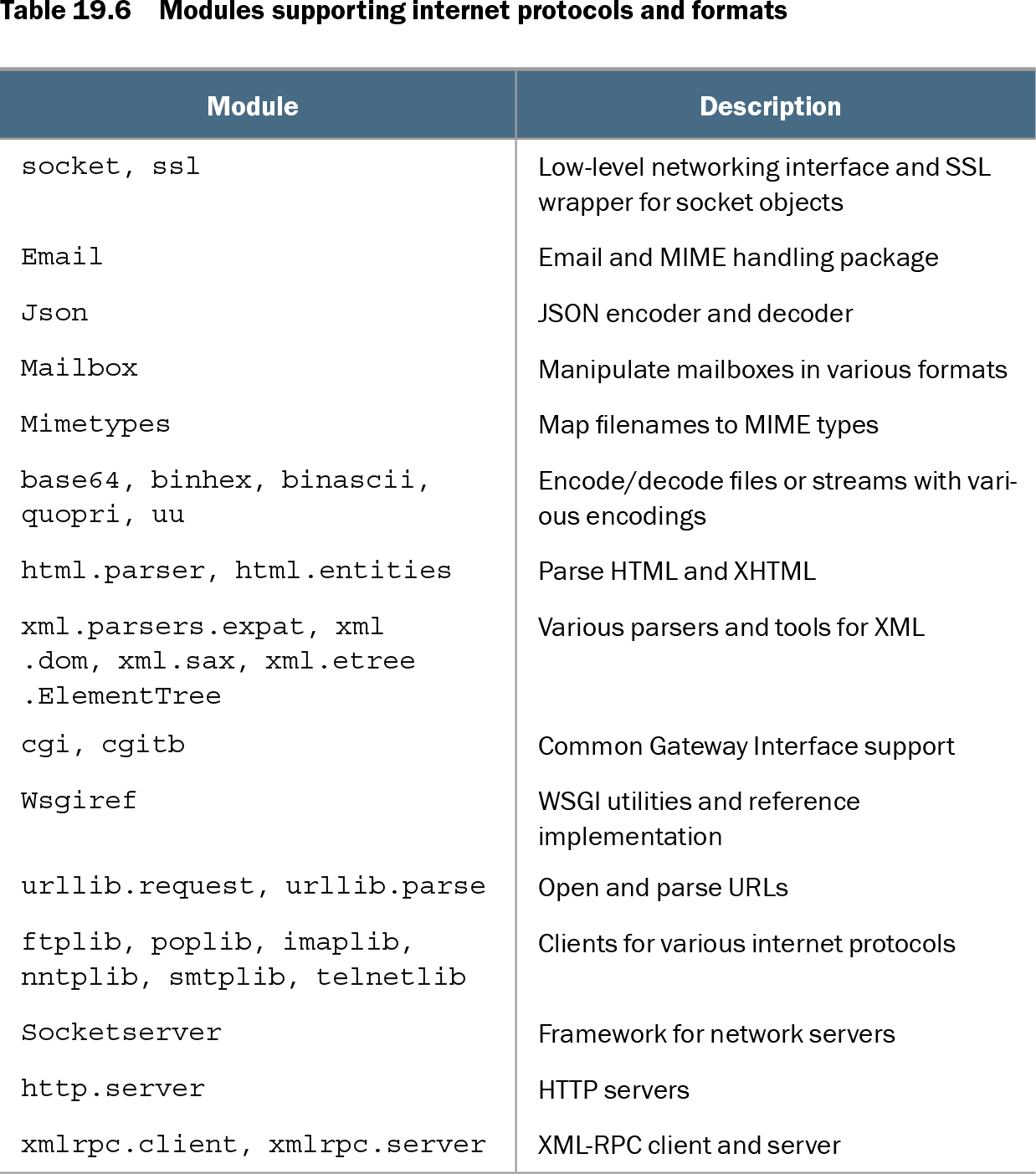
Table 19.6 Modules supporting internet protocols and formats (view table figure)
| Module |
Description |
|---|---|
| socket, ssl |
Low-level networking interface and SSL wrapper for socket objects |
| |
Email and MIME handling package |
| Json |
JSON encoder and decoder |
| Mailbox |
Manipulate mailboxes in various formats |
| Mimetypes |
Map filenames to MIME types |
| base64, binhex, binascii, quopri, uu |
Encode/decode files or streams with various encodings |
| html.parser, html.entities |
Parse HTML and XHTML |
| xml.parsers.expat, xml.dom, xml.sax, xml.etree.ElementTree |
Various parsers and tools for XML |
| cgi, cgitb |
Common Gateway Interface support |
| Wsgiref |
WSGI utilities and reference implementation |
| urllib.request, urllib.parse |
Open and parse URLs |
| ftplib, poplib, imaplib, nntplib, smtplib, telnetlib |
Clients for various internet protocols |
| Socketserver |
Framework for network servers |
| http.server |
HTTP servers |
| xmlrpc.client, xmlrpc.server |
XML-RPC client and server |
Browse the surrounding internet-format modules to place JSON beside networking, MIME, URL, XML, and HTTP tools. section 19.1.4