KNIME is a visual analytics platform for designing data science and machine-learning workflows. Instead of writing every transformation as code, you connect configurable nodes on a canvas: one node can load data, another can transform it, join tables, aggregate records, or run an algorithm. This flowchart-like approach makes data movement visible while supporting repeatable, scalable ETL workflows. section 7.1
KNIME becomes especially useful when AI applications must work with structured business data rather than a single chat message. It can extract information from files, databases, or enterprise systems, prepare records for LLM processing, and transform generated text into fields suitable for storage or downstream systems. section 7.0 section 7.4
A typical KNIME-based GenAI workflow can move through these stages:
- Load records from a spreadsheet, database, CRM, or another external system. section 7.0
- Transform, join, sort, or aggregate the data with connected nodes. section 7.4
- Apply a reusable prompt across many records and pass the results to downstream systems. section 7.0
Processing customer records
A CRM table containing customer names, ages, and recent purchases can supply inputs to a prompt applied across many records. KNIME then helps split the LLM’s text output into structured fields for a database or another business system. section 7.0
Figure 7.1 The LLM’s input text might come from various sources—files, systems, or users.
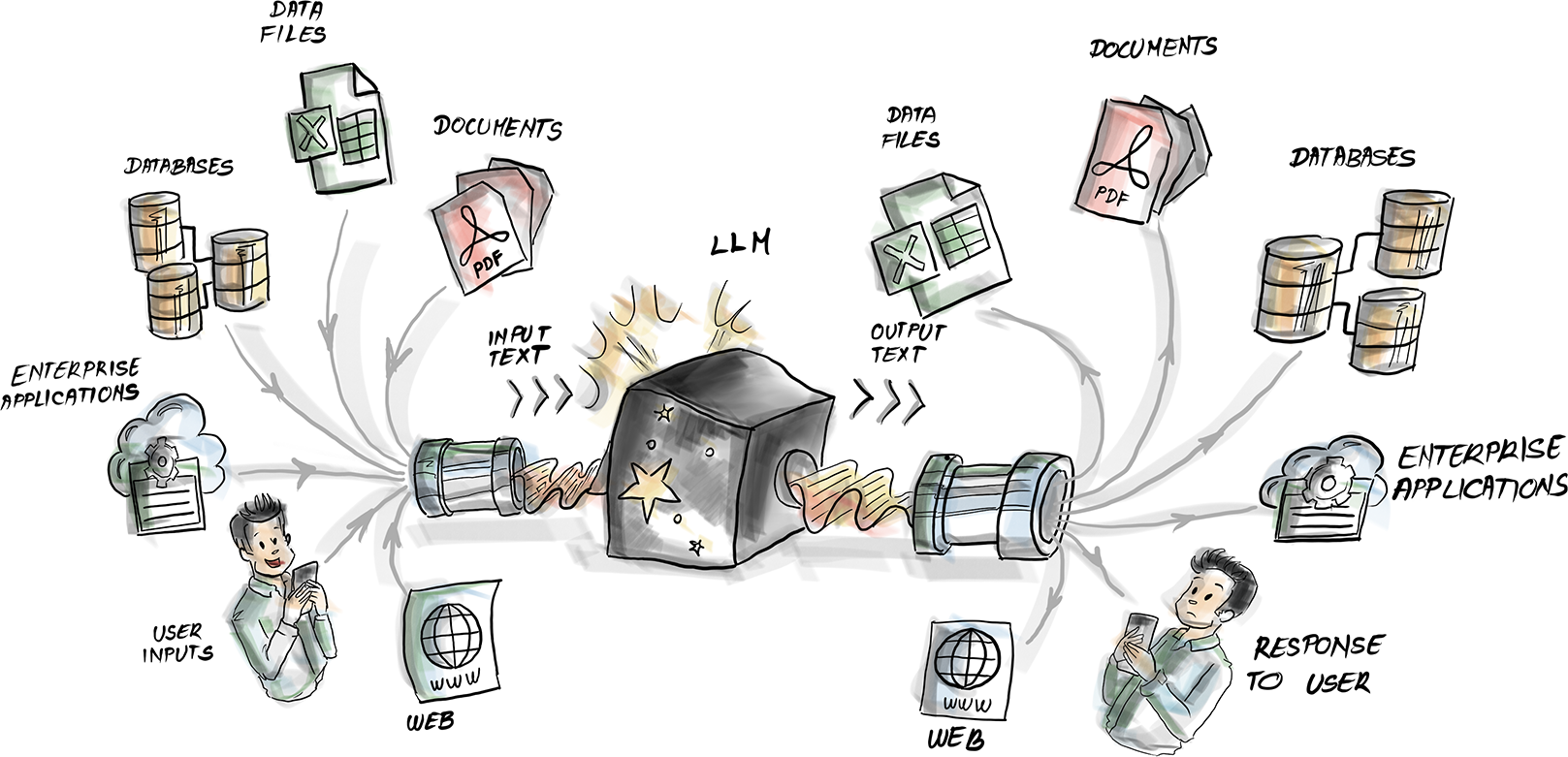
Trace how LLM input can originate from files, enterprise systems, databases, or human users. section 7.0
Figure 7.4 The KNIME Workbench is your private studio for crafting data workflows.
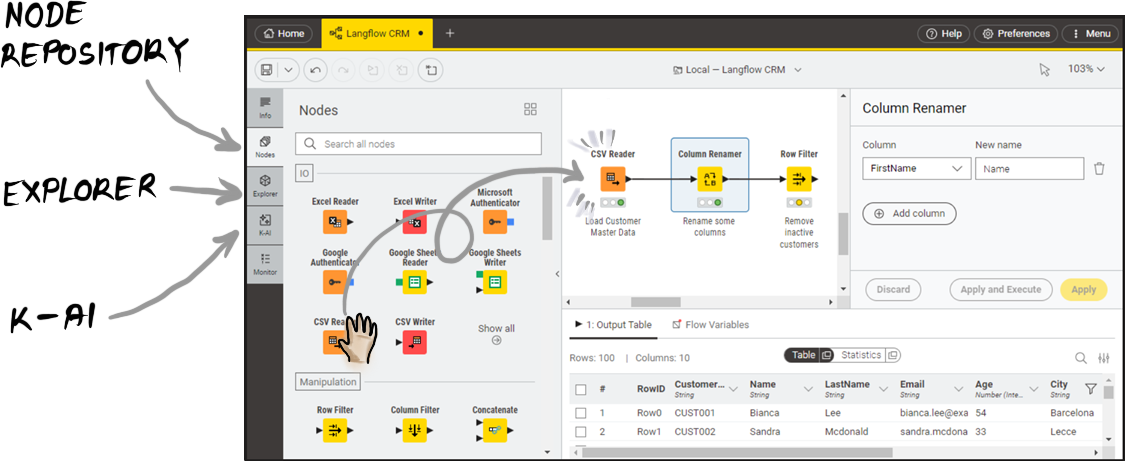
Orient yourself to the KNIME Workbench as the workspace for assembling visual data workflows. section 7.1
