list_filter adds filtering controls to the right side of a Django Admin changelist. Give it a model field for a straightforward filter, or provide a custom filter class when the available choices need more control. section 5.2.2
Choose the filter approach according to the field:
- Use a BooleanField or a field restricted with choices when displaying every value is useful. section 5.2.2
- Prefer search for wide-open fields such as last_name, because listing every database value can look messy and hurt performance. section 5.2.2
- Customize DateField choices when defaults such as today, the last seven days, this month, and this year do not fit the data. section 5.2.2
Filtering musicians by birth decade
A custom filter extends admin.SimpleListFilter and supplies a title, a parameter_name, and two methods: class DecadeListFilter(admin.SimpleListFilter): title = 'decade born' parameter_name = 'decade' def lookups(self, request, model_admin): this_decade = (datetime.today().year // 10) * 10 return [ (str(year), f'{year}-{year + 9}') for year in range(this_decade - 10, this_decade - 100, -10) ] def queryset(self, request, queryset): start = self.value() if start is None: return queryset start = int(start) return queryset.filter( birth__gte=date(start, 1, 1), birth__lte=date(start + 9, 12, 31), ) lookups() names the sidebar choices. queryset() reads the selected value and restricts the changelist QuerySet; no selection leaves the original QuerySet unchanged. section 5.2.2
Figure 5.8 An overview of a custom list filter
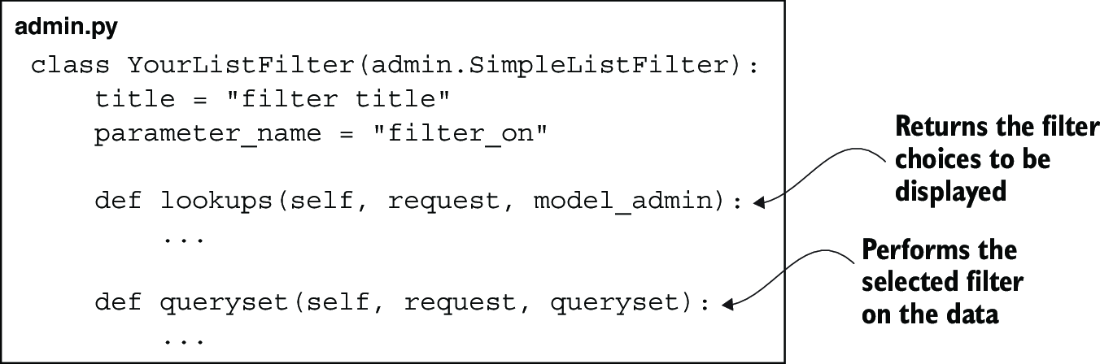
Use the overview to connect the filter’s displayed choices with the QuerySet operation that produces the filtered listing. section 5.2.2
