A loading indicator communicates that processing is still underway when a page, form, or other interaction does not produce immediate feedback. It prevents a blank screen from feeling frozen and helps people decide what to do next. section 7.2.4
Choose the feedback that best matches the waiting experience:
- Use a loading animation when content or a submitted action is simply taking a moment. section 7.2.4
- Show skeleton content when the page structure is known; subtle movement can make the waiting state feel active. section 7.2.4
- Use a progress bar when uploading, downloading, or completing a process that takes longer than expected. section 7.2.4
- Treat the choice as a user-experience decision: backend setup, performance, and implementation choices affect how waiting feels. section 1.1.2
Submitting an order
After someone submits payment details, processing may take a moment. Without an indicator or an immediate success or error message, they may refresh the page or submit again because they cannot tell whether the order worked. A visible loading state bridges the gap until the final result appears. section 7.2.4
Figure 7.5 The skeleton content doesn’t need to be just gray boxes. You can add some icons or use a brand color to create a less sterile experience.
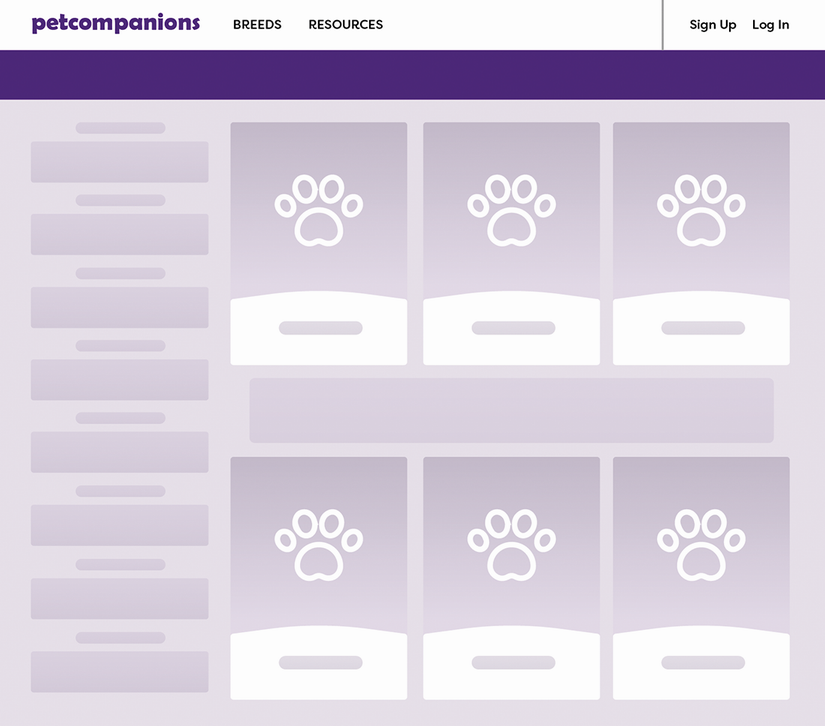
Skeleton content can look like the upcoming interface rather than a set of generic gray boxes; icons, brand color, and restrained pulsing can make the waiting state feel more purposeful. section 7.2.4

