A loading indicator signals that an operation is in progress, uploading, or awaiting completion. Use one when an action lasts longer than about one second, and pair the visual signal with explanatory text for screen readers and other assistive technologies. section 3.0
A responsive loader can combine animated SVG bars with an HTML progress bar. The SVG communicates ongoing activity, while the progress element shows how much work is complete and how much remains. section 3.1
Build the interface incrementally:
- Start with an SVG inside a centered section, a heading such as “Scanning channels,” explanatory text, and a progress element with a value and maximum. section 3.2.2
- Place eleven rectangular bars on an SVG coordinate grid, using the top-left corner as the origin and accounting for each bar’s width and the gaps between bars. section 3.2.1
- Make the loader scale with its container by combining a percentage-based viewport with a viewBox that defines the graphic’s internal position and dimensions. section 3.2.2 section 3.2.3
- Animate the rectangles with CSS keyframes and an animation duration; tune the speed experimentally, then continue and stagger the animation so the bars do not change together. section 3.0 section 3.4.2
- Keep the surrounding layout readable and adaptable with flexbox, a capped section width, responsive text sizing, and custom styling for the progress element. section 3.1 section 3.2.2
Scanning channels
A loader can show animated bars above the message “Scanning channels,” followed by “This may take a few minutes” and a progress bar at value 32 of 100. The text explains the wait while the animation reassures users that activity continues. section 3.2.2
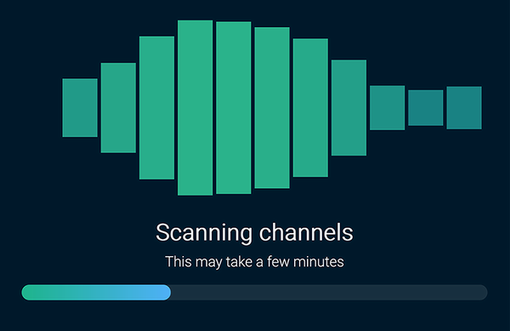
Use the completed-loader figure to compare the animated SVG, explanatory text, and progress bar as one responsive interface. section 3.1

