Switching before extended-character output
Call `setlocale(LC_ALL, "");` near the beginning of a program that prints extended characters. The empty string selects the system’s default locale; `LC_ALL` applies the change to every locale category. Without the call, extended characters sent to a terminal may appear as garbage, even when the system is otherwise set up to display them. section 14.3 section 8.6
A locale is the language setting used by parts of the C library. Although a program inherits an execution environment that may contain `LANG` or `LC_ALL`, C starts it in the normalized `"C"` locale. That locale uses broadly American English choices for numbers, times, and dates. Use `setlocale` from `locale.h` to set or inspect the current locale. section 8.6 section 8.6
TAKEAWAY: The inherited language setting does not by itself switch the C library away from its startup locale. Select the system default explicitly when native-locale behavior is needed. section 8.6 section 14.3
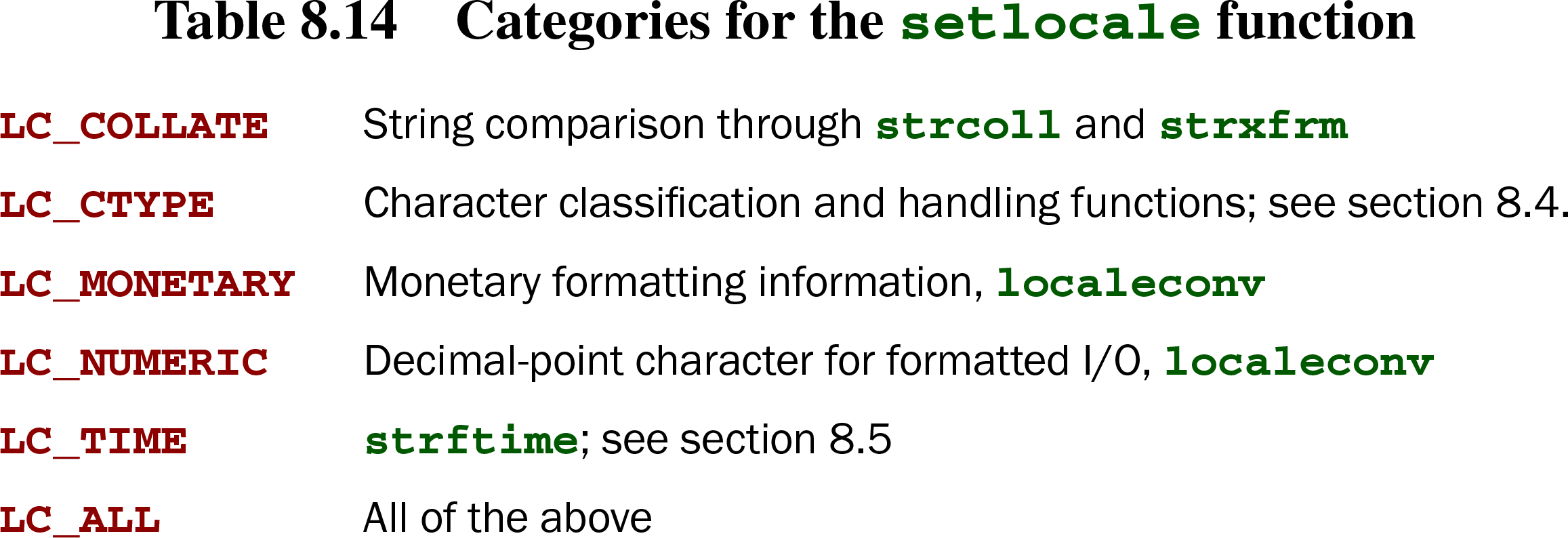
Table 8.14. Categories for the setlocale function (view table figure)
| LC_COLLATE | String comparison through strcoll and strxfrm |
| LC_CTYPE | Character classification and handling functions; see section 8.4. |
| LC_MONETARY | Monetary formatting information, localeconv |
| LC_NUMERIC | Decimal-point character for formatted I/O, localeconv |
| LC_TIME | strftime; see section 8.5 |
| LC_ALL | All of the above |
The categories identify which library behavior a locale change affects: string collation, character handling, monetary information, decimal-point formatting, and time formatting. `LC_ALL` selects all of them; a category can also be changed separately. section 8.6
Locale selection also matters for multibyte text. A multibyte character uses a sequence of bytes for one extended character; multibyte strings remain null-terminated strings. Ordinary string functions may therefore handle the string as bytes, while character-aware work calls for multibyte-aware processing. section 14.3