The prompt-copy-save-deploy cycle turns a plain-English request into a web page: prompt ChatGPT, copy its code, save the code as an HTML file, and upload it to a web host. section 1.5 section 2.1
Use the cycle in this order:
- Prompt ChatGPT with the page goal, required data, user action, and interface for starting that action. section 2.6
- Copy the generated code using the Copy Code button or icon. section 2.6
- Paste the code into a text editor and save it as index.html inside a project folder. section 2.1 section 2.6
- Upload the project files to a web-hosting provider, then open the page in a browser. section 1.4.4
Expect to repeat the cycle. Create separate pages with separate prompts, or build one page component at a time and deploy after assembling the HTML file. section 1.4.5
A first-page workflow
Ask ChatGPT for a web page, copy the response, paste it into a new text file, save it as index.html in a project subfolder, and upload the project data to your host. If the result is incomplete or has problems, refine the prompt and repeat the process. section 2.6 section 1.5
Figure 2.1 The prompt-copy-save-deploy cycle that you’ll be using in this chapter
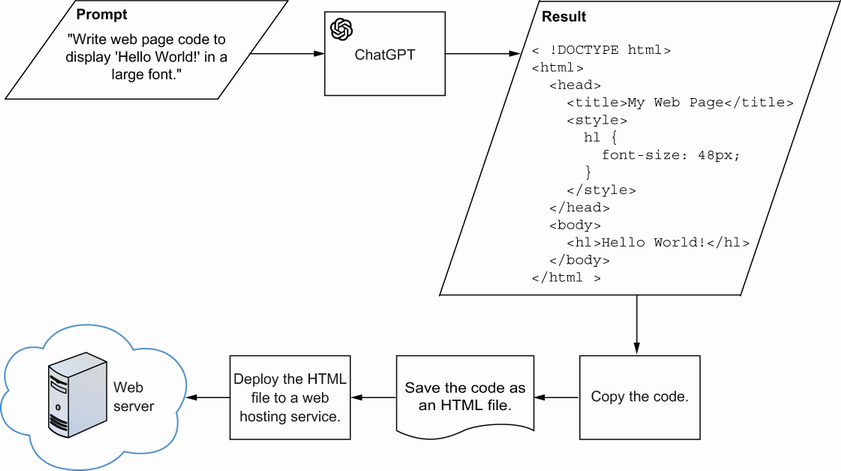
Follow the visual sequence from prompt to copied code, saved HTML file, and deployed web page. section 2.1
