liveBook · Manning

ModelMergeSimple

As explained in Local Image Generation

ModelMergeSimple is a ComfyUI node that combines two model parameter sets according to a specified interpolation ratio.

ModelMergeSimple is the ComfyUI node that mixes two model checkpoints using an interpolation ratio. Think of it as blending two recipes, then testing the result. section 14.3.1

Build a basic merge workflow:

  • Load one checkpoint for model A and another for model B. section 14.3.1
  • Connect both models to ModelMergeSimple and set the desired interpolation ratio. section 14.3.1
  • Send the merged model to Save Checkpoint when you want a reusable checkpoint; mute that node with Ctrl + M during experiments. section 14.3.1

Compare before you commit

Generate one image from model A, one from model B, and one from the merged result. Share the prompt, negative prompt, latent, and usually model A’s VAE and CLIP across the three paths. section 14.3.1

Figure 14.15 We are generating 3 images with each run of the workflow.
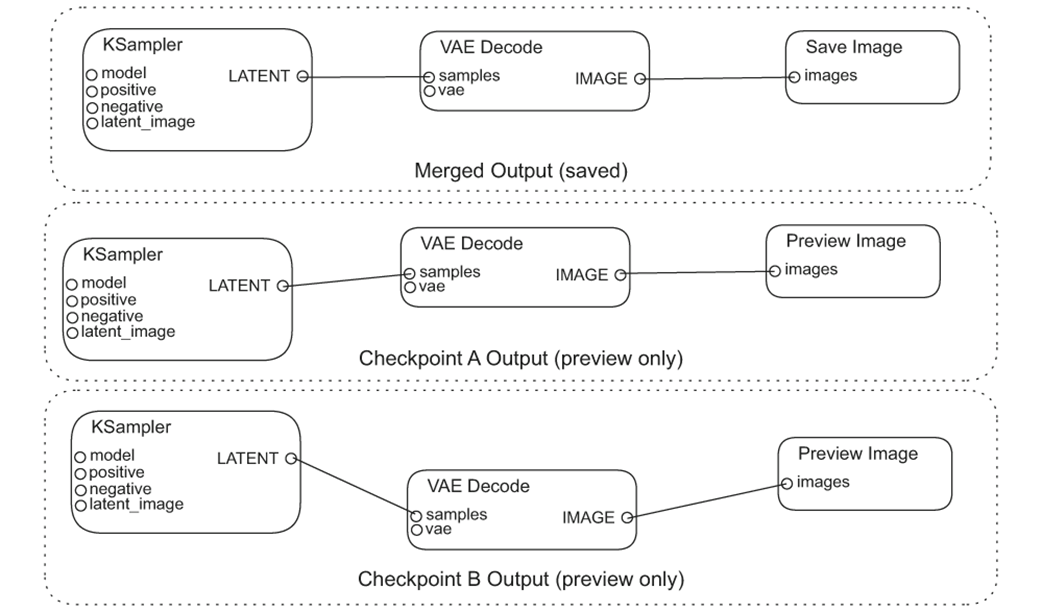
Trace the three image-generation paths used to compare both inputs with the merged checkpoint. section 14.3.1

How Local Image Generation covers it

How deep it goes
Explains practical node connections and iteration controls but does not detail merge internals or ratio mechanics.
Examples
Compares images generated from model A, model B, and their merged result.
What it assumes
Assumes familiarity with ComfyUI nodes and checkpoint loading while demonstrating the merge workflow directly.
What you can do after
Apply it via ComfyUI to create and optionally save a blended checkpoint.
How it connects
Connects checkpoint merging with Load Checkpoint, Save Checkpoint, VAE, CLIP, and image-generation nodes.

Related concepts

This explainer was generated by Manning's knowledge graph from the text of Local Image Generation. The section links point to the parts of the book it draws on.