Terraform state locking coordinates concurrent operations by telling the backend that only the currently running process may use the state. A second simultaneous operation fails instead of risking conflicting changes or a corrupted state file. section 5.6.2 section 6.4
Terraform normally manages locks automatically, so routine commands rarely require special handling. Backend configuration still matters: locking may be automatic or may require explicit setup, such as with S3. section 5.6.2 section 6.4.2
Concurrent applies and speculative plans
If two people start Terraform apply at the same time, one operation obtains the state lock and the other fails. A speculative plan used for testing, pull requests, or previewing code changes does not modify state, so automation commonly uses `-lock=false` for that run. Disabling locking for an operation that can change state remains dangerous. section 5.6.2 section 5.6.2
Use locking as part of production state management:
- Enable locking whenever the backend requires explicit configuration; never use a backend without locking. section 6.4.2
- Review backend-specific documentation, because built-in backends may require vendor-side configuration even when they support the required capabilities. section 6.4
- Treat the local backend as a development convenience rather than a production solution. section 6.4
Figure 6.1 Basic backend configuration requirements
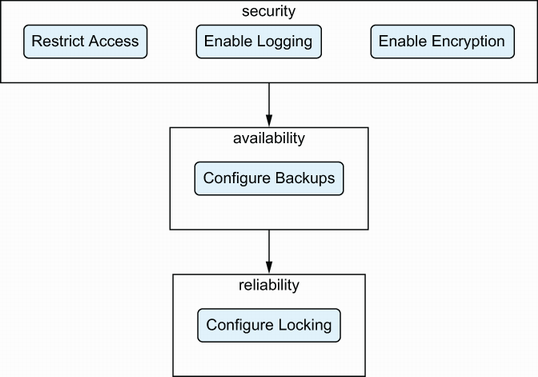
Use the backend configuration requirements overview to check locking alongside access restrictions, logging, encryption, and reliable tested backups. section 6.4.2

















