What if your notes behaved less like pages in a notebook and more like a constellation of connected thoughts? Obsidian stores Markdown notes in a vault, where files can link through [[link]] syntax and reveal relationships that are easy to miss. section 2.4.1
Obsidian supports several ways to navigate an interconnected knowledge base:
- Create direct links between notes when one idea points to another. section 2.4.1
- Discover possible connections when Obsidian finds related words in notes that are not explicitly linked. section 2.4.1
- Follow backlinks to see which notes point toward the note you are reading, opening paths to unexpected insights. section 2.4.1
- Use fuzzy search to retrieve existing notes even when your search is incomplete. section 2.4.2
A creativity constellation
Suppose a note named “creativity” receives backlinks from “diffuse thinking” and “Big Five personalities.” Following those links can expose relationships that were not obvious when each note was written. section 2.4.1
Figure 2.4 Obsidian’s graph view, which looks like a big constellation map. The view should facilitate visual discovery of related themes and notes, although large vaults end up displaying a big mess. The highlighted note “Creativity” (Creativiteit) links to my other notes related to the topic.
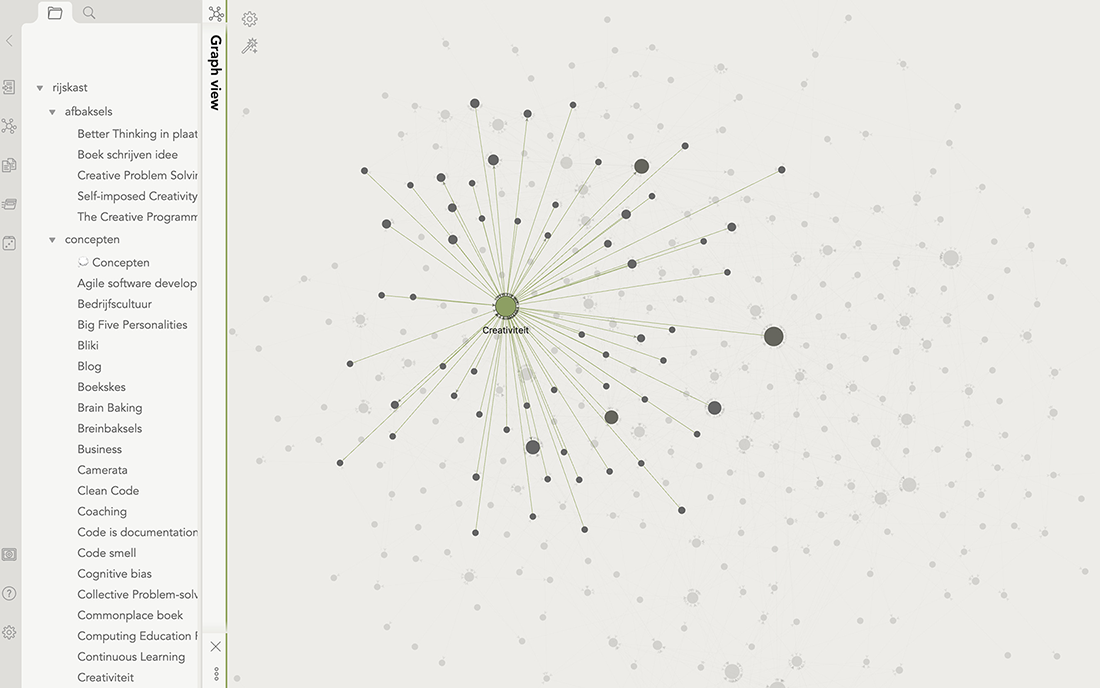
Explore the graph view as a visual map of related notes; it can encourage discovery, though large vaults may become visually messy. section 2.4.1