A password reset flow replaces a forgotten or compromised password after the user demonstrates control of the associated account. Django supplies the views and one-time-token process, while the application supplies registration templates and email configuration. section 6.0 section 6.8
Figure 6.6 Steps involved in a password reset
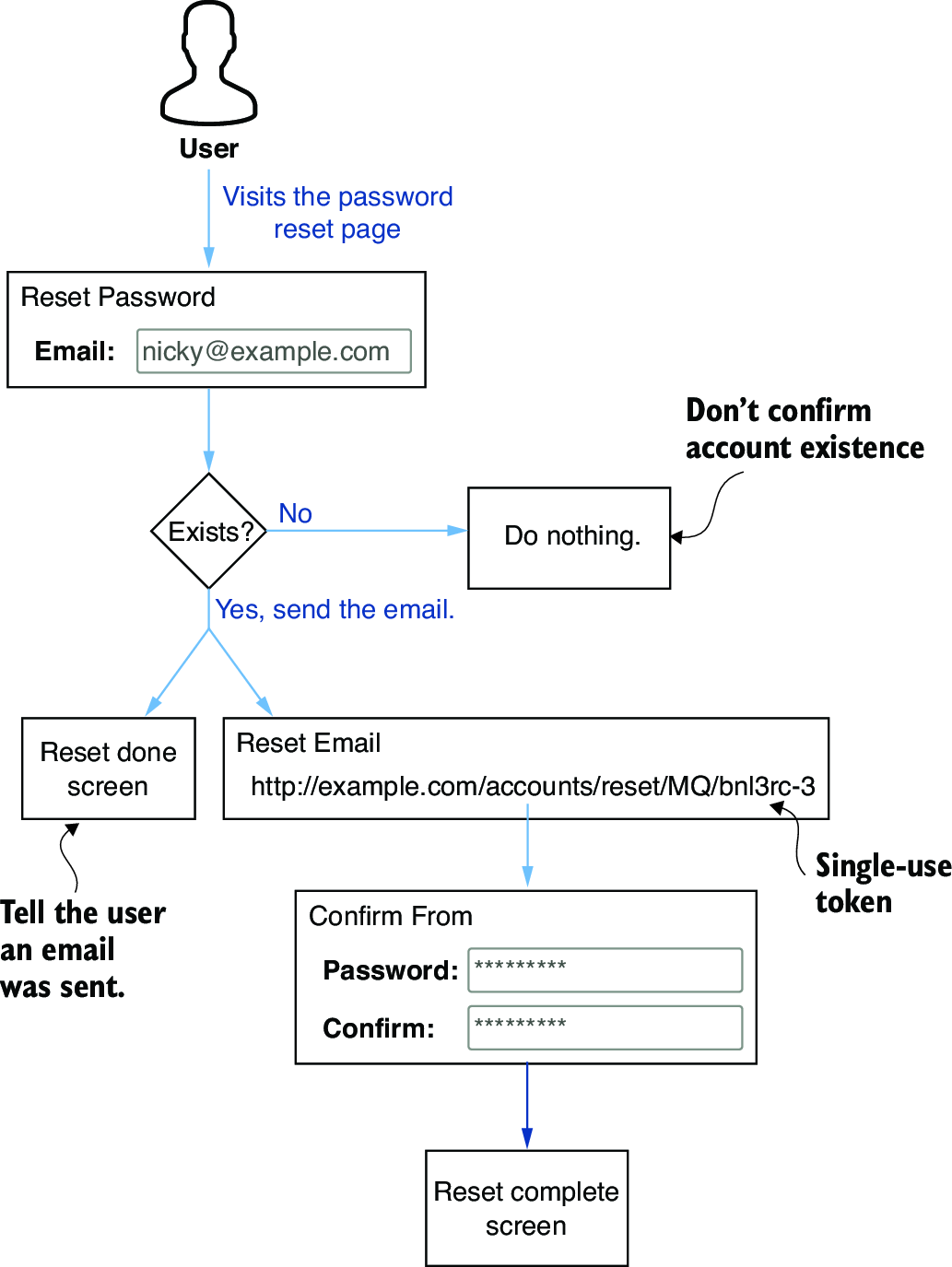
Follow the complete sequence from requesting a reset to receiving a one-time link, choosing a new password, and seeing confirmation. section 6.6
The request flow proceeds through these steps:
- Expose a Lost password? link using the password_reset URL name on the login page. section 6.6
- Collect the user’s email address with password_reset_form.html, rendering the form and CSRF token. section 6.6.1
- Show the same response whether or not the email matches an account, avoiding account-enumeration leakage. section 6.6.1
- Send a reset email only when the address matches a User object, using a one-time link containing uidb64 and token. section 6.6.2
- Validate the link, display the new-password form, and use validlink to handle altered or invalid tokens. section 6.6.3
- Display a completion message and provide a link back to login after the password changes. section 6.6.3
Testing locally with RiffMates
Configure django.core.mail.backends.console.EmailBackend, submit admin@example.com, copy the reset URL printed by the development server, open it in a browser, and complete the password change. Production delivery instead requires an SMTP or another email backend. section 6.6.2 section 6.6.3
