A port is a typed connector on a workflow component. Like a doorway, it brings data or other resources in and sends results out. Input ports sit on the left; output ports sit on the right, and their colors indicate the kind of data they carry. section 2.3 section 7.1
Read a port by checking three properties:
- Direction: input ports receive data, models, database connections, or other resources; output ports send results to the next workflow step. section 7.1
- Type: port colors distinguish payloads such as text or messages, numeric tables, and embeddings. section 2.3
- Control: a linked input port can receive a value from another component instead of using a manually entered parameter. section 2.3
Connecting a chat message to a language model
Drag the Chat Input component’s Message output port to the first input port of an OpenAI component. The connection passes the user’s message into the model, while the model’s output can continue to the next component. section 2.3
Figure 7.5 Anatomy of a KNIME node
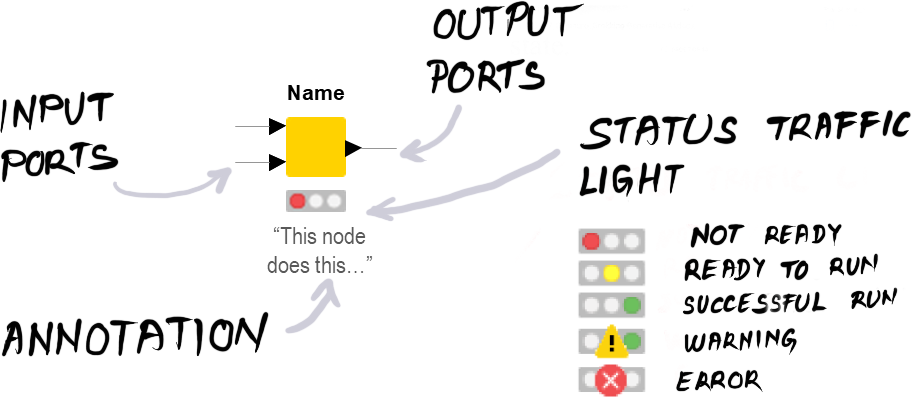
Use the node anatomy figure to locate input ports, output ports, configuration controls, and execution status in a KNIME workflow. section 7.1


