PowerShell extension
The PowerShell extension is a Visual Studio Code extension that provides PowerShell language support and development features.

Learn PowerShell in a Month of Lunches: Fourth Edition, Covers Windows, Linux, and macOS
The PowerShell extension is a Visual Studio Code extension that adds PowerShell editing and development support.
- How it is used
- Supports PowerShell editing, configuration, interactive execution, and repeatable script creation inside Visual Studio Code.
- How deep it goes
- Covers installation, settings, themes, terminal configuration, and script execution without explaining extension internals.
- Examples
- Demonstrates marketplace installation, code --install-extension, PowerShell terminal configuration, theme selection, and Run-button scripting.
- What you can do after
- Apply it via Visual Studio Code to configure PowerShell editing, execute commands, and save runnable scripts.
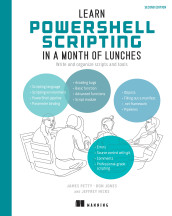
Learn PowerShell Scripting in a Month of Lunches, Second Edition: Write and organize scripts and tools
The PowerShell extension is a Visual Studio Code extension that provides PowerShell language support and development features.
- How it is used
- Provides PowerShell language support and development features within Visual Studio Code.
- How deep it goes
- Covers installation, updates, settings, and an IntelliSense check, but does not detail extension internals.
- Examples
- Uses a .ps1 file, Get-P autocomplete, Get-Process suggestions, and editor configuration settings.
- What you can do after
- Operate Visual Studio Code for PowerShell editing, autocomplete, configuration, and extension maintenance.
Related concepts
- Visual Studio Codeuses · Visual Studio Code is Microsoft’s cross-platform source-code editor, extensible with tools for programming, debugging, and other development workflows.
- pluginkind of · A plugin is an optional software component that extends or modifies a host application’s capabilities through an extension or integration mechanism.
- shell scriptuses · Bash is a Unix command-line shell and scripting language for executing commands interactively and through scripts.
- Run Selectionuses · Run Selection is a Visual Studio Code editor action that executes selected PowerShell code, or the current line when no code is selected.
These guides are generated from the text of Manning books by Manning's knowledge graph and link to the sections they draw on. The full books are available on liveBook and at manning.com.